
If you're trying to create YouTube Shorts that actually get noticed, the right video editor isn't just a nice-to-have—it's your most important tool. The problem is, most traditional editing software was built for the old world of horizontal, long-form video. Trying to make it work for the fast-paced, vertical-first world of Shorts is like trying to race a station wagon at a Formula 1 track. It’s clunky, slow, and you’ll get left in the dust.
This is where specialized tools, especially those with AI built-in, are completely changing the game for creators.
Why Your Old Video Editor Is Holding You Back
The Shorts algorithm moves at lightning speed. Trends pop up, go viral, and die out in the span of a weekend. Your trusty old video editor, designed for patient, methodical work on 20-minute vlogs, just wasn't made for this kind of creative sprint.
Every minute you waste fighting with awkward timelines, manually resizing assets for a 9:16 screen, or trying to sync up a trending sound is a minute you're not creating. That friction is a killer when speed is everything.
And make no mistake, the competition is fierce because the audience is massive. YouTube Shorts has absolutely exploded, skyrocketing from 30 billion daily views in 2021 to a staggering 70 billion by late 2023. That’s powered by over 2 billion people logging in every single month.
To really understand the opportunity, it helps to see how these platforms stack up against each other.
Short-Form Video Platform Engagement Rates
Here's a quick look at how user engagement compares across the big three platforms. Notice how YouTube Shorts isn't just competing; in many cases, it's leading the pack.
| Platform | Average Engagement Rate | Key Advantage |
|---|---|---|
| YouTube Shorts | 5.91% | Leverages YouTube's massive existing user base and search algorithm. |
| TikTok | 5.69% | Trend-setting culture and a powerful, discovery-focused algorithm. |
| Instagram Reels | 1.95% | Strong integration with Instagram's established social graph and e-commerce features. |
What this table shows is that YouTube Shorts viewers aren't just passively watching; they're actively engaging. This makes it an incredibly valuable place to build a community. You can dig into more eye-opening YouTube Shorts statistics to see just how dominant the platform has become.
The Real Problem: Speed and Scale
Think about the old way of doing things. You shoot, import, trim clips, find music, add text, export, and upload. That process is fine for one video. But to win on Shorts, you need a steady stream of content. Trying to keep up that pace with a generic editor is a fast track to burnout.
The challenge isn't just editing one video. It's being able to test a dozen ideas, jump on a trend the day it starts, and publish multiple high-quality Shorts every week without losing your mind.
A Smarter Way to Create with AI
This is where a new type of YouTube Shorts video editor flips the script. AI-powered tools like Nereo are built to do the heavy lifting for you. Instead of staring at a blank timeline, you start with an idea—just a simple text prompt.
For instance, Nereo has an AI anime generator that can take a single sentence and turn it into a full video.
You just describe the story you want to tell. The AI then generates a complete, 60-second animated short with characters, a plot, and a legitimate art style. This completely reframes your role. You go from being a button-clicking editor to a creative director, focusing on the big picture instead of the tedious details. It’s all about getting a fantastic first draft done in minutes, not days.
Crafting a Viral Anime Short from a Single Prompt
The real magic of a good YouTube Shorts video editor, especially one powered by AI, isn't just about working faster. It’s about being able to take a spark of an idea and turn it into a full-blown, engaging story in a matter of minutes.
Let's walk through a real-world example. Say you're an e-commerce brand about to launch a new mechanical keyboard with a slick cyberpunk vibe. The goal? Create a viral anime Short that nails the product's aesthetic without coming off like a flat, boring advertisement.
Your whole creative process kicks off with a single text prompt. But here's where most people go wrong. A lazy prompt like "anime girl typing on a cyberpunk keyboard" is going to get you an equally lazy, generic result. To make something that stands out, you need to think more like a film director and less like someone just filling out a form.
Brainstorming a High-Impact Prompt
Your prompt needs to be packed with story, character, and a specific visual style. Instead of a basic description, you're essentially writing a tiny screenplay for the AI to follow.
Let's build a much better prompt for that keyboard launch:
- Character: A renegade hacker girl with neon-pink hair and augmented reality glasses.
- Setting: A dimly lit, futuristic Tokyo alleyway, rain-slicked streets reflecting holographic signs.
- Action: She frantically types on a glowing, cyberpunk mechanical keyboard. A countdown timer is visible on a nearby screen, and her final keystroke triggers a city-wide blackout.
- Style: Ghibli-esque character design mixed with the gritty, neon-noir aesthetic of Akira.
See the difference? This prompt gives the AI specific story beats, a clear character to work with, and critical artistic direction. The result is a 60-second video that tells a micro-story—infinitely more captivating than just showing off a product.
This diagram really highlights how AI fundamentally shifts the workflow, taking us from slow, painstaking manual editing to a world of rapid, automated creation perfectly suited for today's content demands.
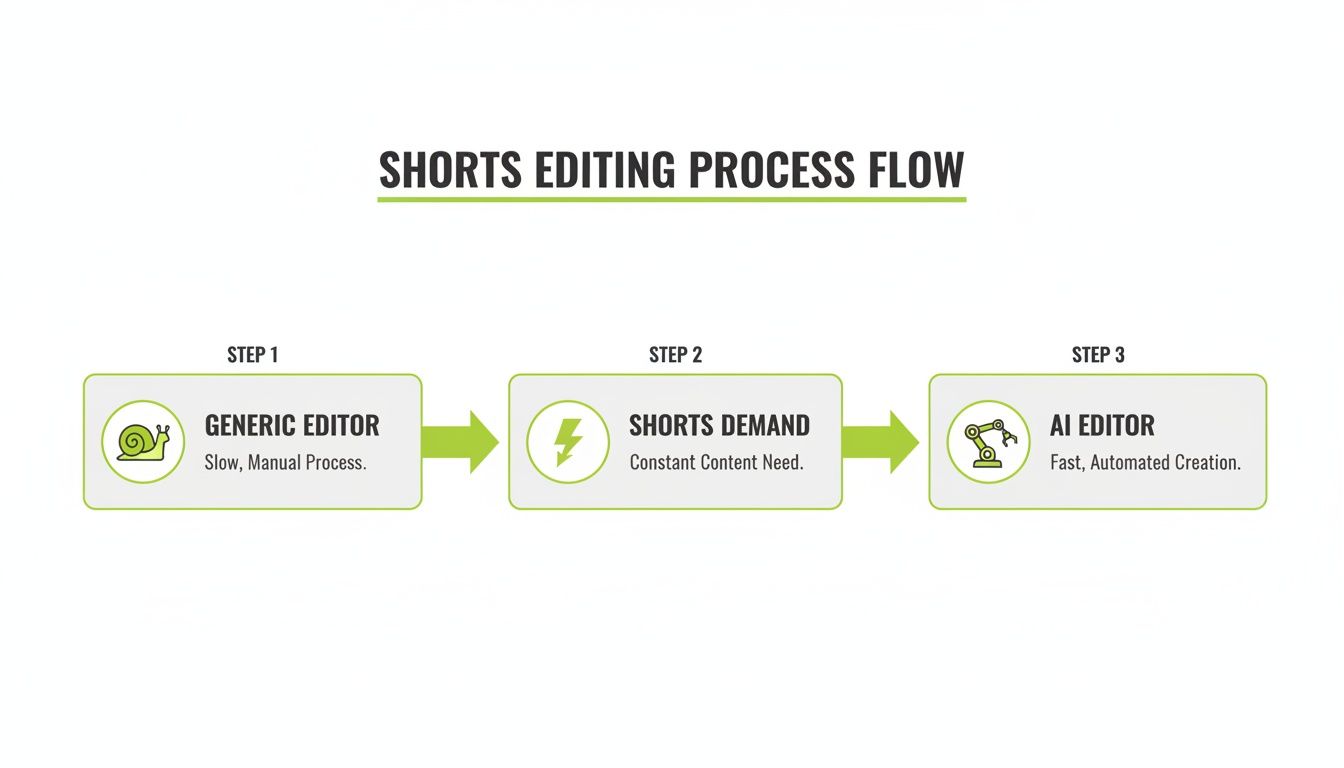
It’s pretty clear from this visual: traditional editors are often the bottleneck, whereas AI tools are built from the ground up for the breakneck speed required by platforms like YouTube Shorts.
From Prompt to Polished Video
Once you feed your detailed prompt into an AI anime generator like Nereo, it gets to work. It doesn't just spit out random clips; it actually interprets the narrative structure you provided to build a story that makes sense.
The AI will generate scenes that line up with your instructions: an establishing shot of the alley, a close-up on the hacker's determined face, dynamic shots of her fingers flying across the glowing keys, and the big finale of the city lights going dark. It intelligently stitches these moments together, creating a video that actually has a beginning, a middle, and an end.
What you get back is a fully-formed 60-second video. This isn't just raw animation—it includes scene changes and initial pacing that matches the intensity of your story. You get a complete first draft in the time it takes to grab a cup of coffee.
This whole process opens up high-concept video production to everyone. You no longer need a whole team of animators or a deep understanding of complex software to bring a cool idea to life. The biggest creative hurdle is simply your ability to describe what you want to see.
You can learn more about how AI turns text into dynamic video and see why this technology is quickly becoming a favorite for marketers and creators. This approach makes it possible to test dozens of different creative ideas in a single afternoon and quickly discover what actually connects with your audience.
Fine-Tuning the Pace: Your Final 10% Edit
An AI video generator can get you 90% of the way there in seconds, but that last 10% is where you come in. This is where your creative eye turns a good video into a great one. The final polish is all about rhythm, pacing, and making cuts that feel intentional. Every single second of your Short has to earn its place and keep a viewer from swiping away.
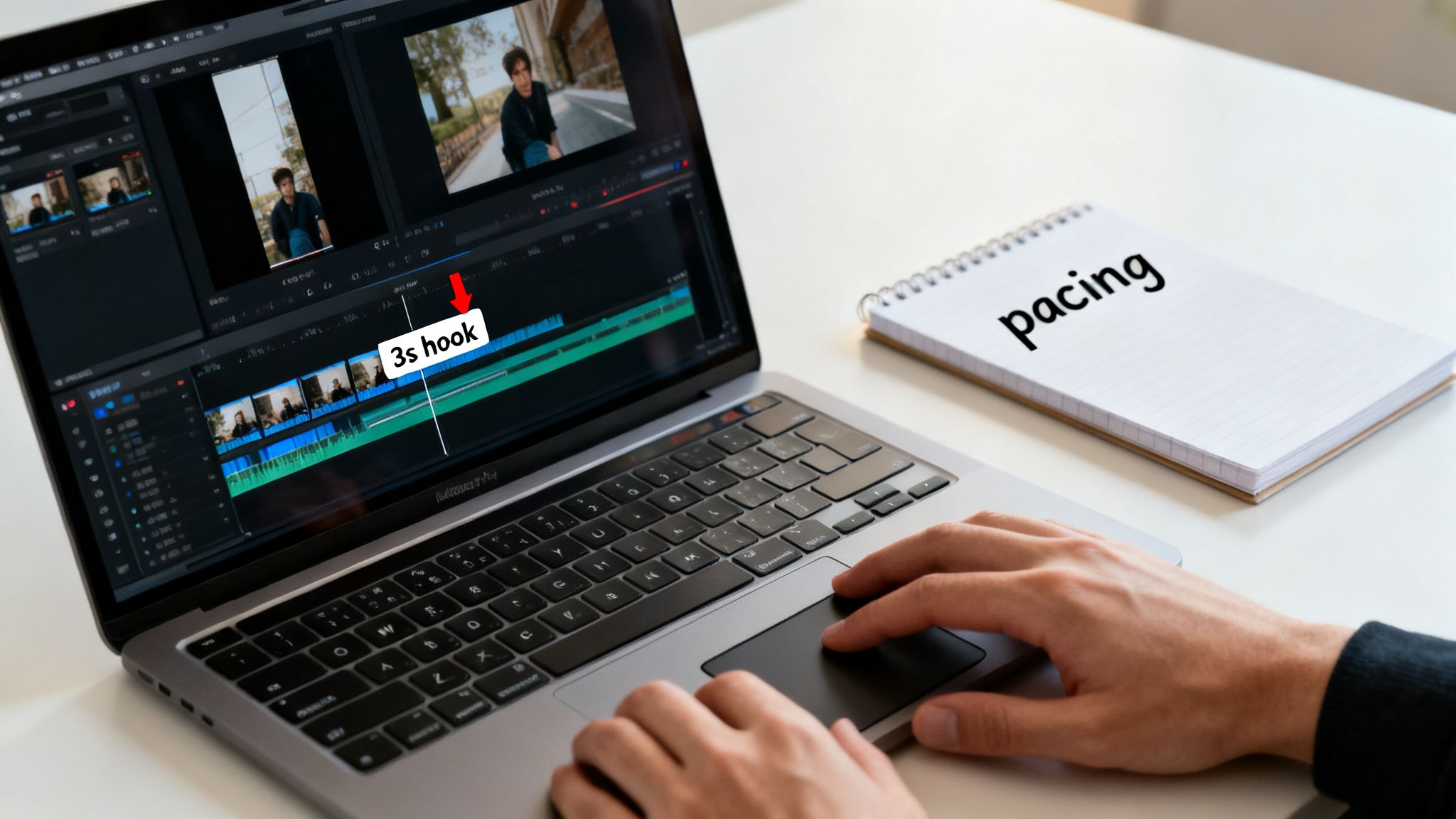
Start by watching your AI-generated draft with a critical eye. Where does the energy lag, even for a split second? In the world of Shorts, even half a second of dead air is an invitation to scroll on.
Don't underestimate the competition. The YouTube Shorts audience ballooned from 1.5 billion monthly users in 2022 to over 2 billion by mid-2023, driving a staggering 200 billion daily views. For creators, this is huge. A single Short with 100k views can net you an average of 169 new subscribers. Perfect pacing isn't just an artistic choice; it's a growth strategy.
Nailing the First Three Seconds
The first three seconds of your video are everything. It’s your one shot to stop the scroll. Your AI draft might have a decent opening, but you need to make it magnetic.
- Lead with the punchline: Got a dramatic moment or a big reveal? Tease a flash of it right at the start.
- Spark instant curiosity: Open with an on-screen question or show a character in a bizarre situation that makes people ask, "What is going on?"
- Cut all the fluff: Get rid of any slow pans, establishing shots, or intros that don’t immediately serve the core idea. Jump right in.
Let’s go back to our cyberpunk keyboard example. Instead of opening with a shot of the alleyway, you could start with a half-second flash of the city-wide blackout, then immediately cut to the hacker’s fingers hitting the keys. This throws the viewer right into a mystery they'll want to see solved.
Here's the rule I live by: If a clip doesn't build intrigue or advance the story within the first three seconds, cut it or move it. You need to create forward momentum from the very first frame.
Finding a Dynamic Rhythm
Once your hook is locked in, shift your focus to the overall rhythm. The best Shorts have a pulse, a flow created by how long you hold each shot. Think of it like a piece of music—you need variation to keep it from getting repetitive.
Avoid letting any single shot linger for too long unless you’re doing it for dramatic effect. Quick cuts are your best friend for building energy and making the video feel dynamic. Try mixing a series of rapid-fire, one-second clips with a slightly longer three-second shot to create a powerful sense of contrast. You can even amplify this with some slick AI video effects to make your transitions pop.
This final, human touch is what separates viral content from all the other noise. When you ruthlessly trim the fat and obsess over the pacing, you create a video that doesn't just get watched—it gets felt.
Layering Captions, Music, and Calls to Action
So, you’ve got a perfectly paced, visually stunning video. That's a huge win, but it's the final layers of sound and text that will make your Short truly stick with viewers. It’s a bit of a balancing act. After all, a silent video is a huge missed opportunity, but you also have to consider that a staggering 85% of social media videos are watched with the sound off. Your strategy has to nail it for both audiences.
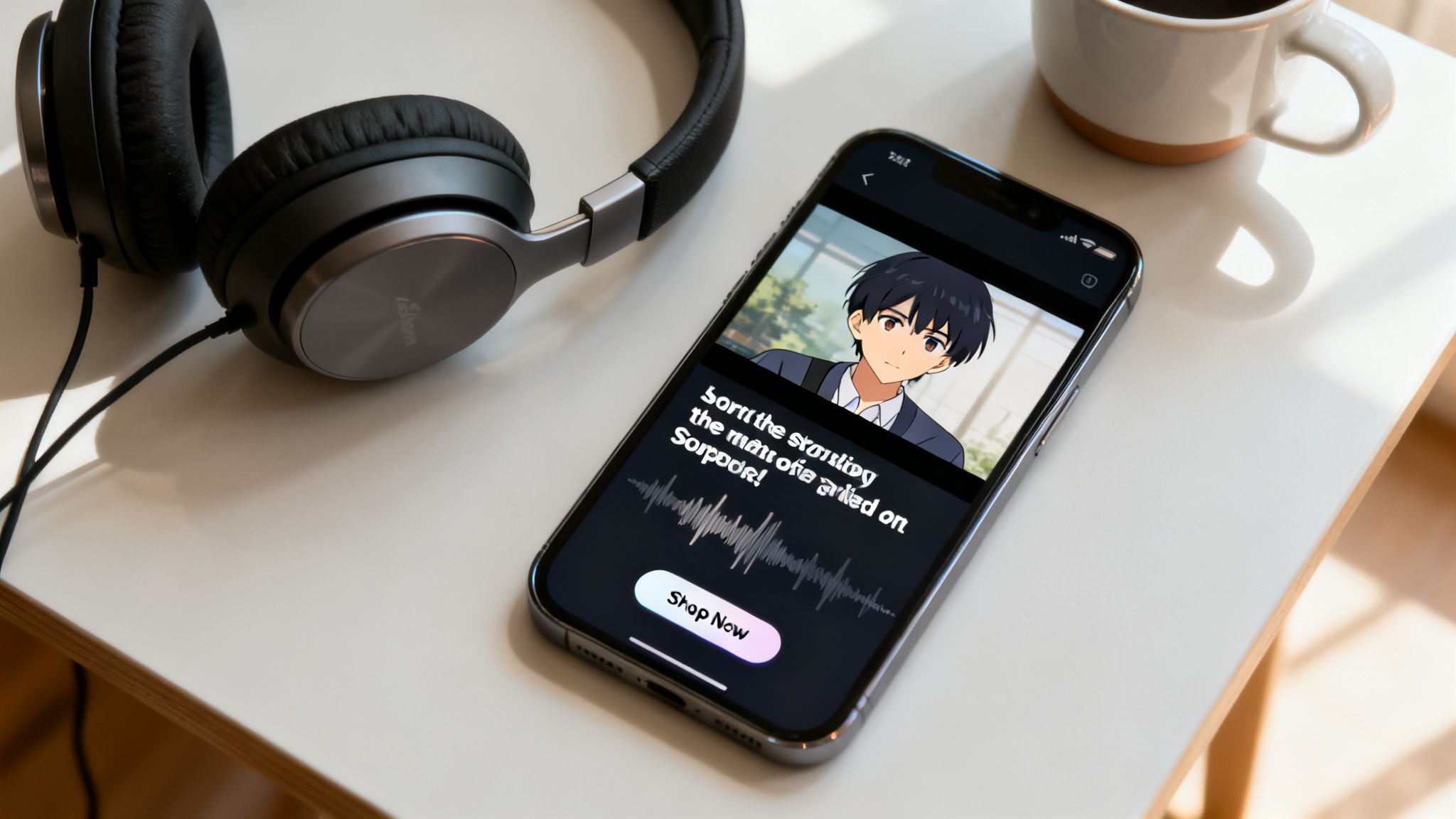
This is precisely where a good YouTube Shorts video editor proves its worth. It’s not just about slapping a background track on your clip; it's about building a complete sensory experience that grabs people whether their sound is on or off.
Crafting On-Screen Text That People Actually Read
Your on-screen text needs to be bold, quick, and ridiculously easy to read. People are scrolling at lightning speed. They aren't going to pause to squint at a tiny, elaborate font.
I stick to a few simple rules for text that works:
- Make it pop with high contrast. Think bright text on dark backgrounds or the other way around. Even a simple outline or drop shadow can make your words legible against a busy scene.
- Keep it brief. We're talking headlines, not paragraphs. A few powerful words per scene is all you need to land your point.
- Place it smartly. Keep your text in the upper or lower thirds of the frame. This ensures you're not covering up the most important action. Also, always be mindful of the "safe zones" so your text isn't awkwardly cropped by the app's interface on different phones.
Your captions are there to support the story, not steal the show. They should guide attention and punch up the core message of your video.
The best on-screen text feels like it belongs there. It adds context and a bit of personality without distracting from the animation itself.
Choosing Audio That Amplifies Your Story
Sound is literally half the experience. The right music or a well-timed sound effect can completely transform the mood of your anime short, elevating a simple animation into something genuinely emotional.
Think about what you want the audio to do. Are you jumping on a viral trend? Using trending audio can be a fantastic way to give your Short an instant boost in the algorithm. For a more story-driven piece like our cyberpunk example, however, custom sound design is king. I’m talking about the subtle hum of a synth, the clatter of keyboard keys, and an electronic beat that builds suspense.
Many modern editors now include AI tools that can turn a static image into a short, dynamic video clip with synchronized sound. You can see how Nereo lets you easily convert an image to a video and then layer in that perfect audio track.
Weaving in a Natural Call to Action
At the end of the day, every Short needs a purpose. Your Call to Action (CTA) is your opportunity to tell the viewer what to do next. The trick is to make it feel like a natural conclusion to the story, not a jarring sales pitch.
Ditch the generic "Link in bio." Instead, try to integrate your CTA into the final few seconds of the video. For our keyboard concept, the last shot could reveal the product name glowing on the screen, paired with simple text like, "Unlock the code. Link in description." It's thematic, it feels cool, and it drives action without breaking the spell. A slick CTA like that can turn passive viewers into active followers—or even customers.
Alright, you've created an awesome Short. It's trimmed, paced perfectly, and looks incredible. But don't hit that upload button just yet. The next few steps are what separate a video that gets a handful of views from one that the algorithm picks up and shows to thousands.
This is where you package your content for success. Your title, description, and hashtags are not just filler—they're direct signals to YouTube about what your video is, who it's for, and why it's worth watching. Getting this right is a huge part of the game.
<iframe width="100%" style="aspect-ratio: 16 / 9;" src="https://www.youtube.com/embed/37TU8e0GlMw" frameborder="0" allow="autoplay; encrypted-media" allowfullscreen></iframe>
Crafting a Title That Clicks
Your title has two jobs: it needs to stop a human mid-scroll and it needs to tell the YouTube algorithm exactly what your content is about. A generic title like "Cool Anime Short" is a missed opportunity. It’s vague and does nothing to spark curiosity.
Let’s go back to our cyberpunk keyboard example. A title like "Building a Keyboard to Hack the City" or "My 60-Second Cyberpunk Escape" is so much stronger. It tells a mini-story and makes people want to see the outcome. And don't forget the magic ingredient: always include #shorts in your title or description. This is the official tag that gets your video into the Shorts feed.
Pro tip: Think of your title as a hook. The best ones often ask a question ("Can I Build This in 60 Seconds?") or promise a quick, satisfying story. You want to create an information gap that the viewer feels compelled to fill by watching.
Writing Descriptions and Hashtags That Work
Most viewers on Shorts won't ever click to read your description, but the YouTube algorithm reads every single word. This is your chance to load it up with relevant keywords that give your video context. Briefly explain what happens in the video, mentioning key themes, characters, or the overall vibe.
Hashtags are your other secret weapon for discoverability. A good strategy is to mix broad, popular tags with more specific, niche ones. This helps you reach both a wide audience and a highly interested one.
- Broad Tags: Start with the big ones like #anime, #animation, or #cyberpunk.
- Niche Tags: Then, get specific with tags like #mechanicalkeyboard, #tokyonights, or #retrowave.
- Branded Tags: If you're building a series, create your own unique hashtag to tie all the videos together.
This layered approach gives YouTube a much clearer picture of your content, which dramatically increases its chances of getting recommended to the right people.
Shorts Upload Checklist for YouTube, TikTok, and Reels
Before you publish, it pays to have a quick mental checklist. While the core video might be the same, each platform has its own quirks for getting discovered. A consistent upload process ensures you’re not leaving views on the table.
Here’s a quick breakdown of what to focus on for each of the big three short-form platforms.
| Element | YouTube Shorts Best Practice | TikTok Best Practice | Instagram Reels Best Practice |
|---|---|---|---|
| Thumbnail | Select a high-contrast, action-packed frame directly from your video. | Choose a dynamic cover image and add a compelling text overlay. | Pick an engaging cover that fits your grid aesthetic. |
| Title/Caption | SEO-focused title under 70 characters with #shorts. | Catchy, trend-focused caption with 3-5 relevant hashtags. | Engaging caption with up to 30 relevant hashtags. |
| Tags/Keywords | Use 5-8 targeted tags in the dedicated "Tags" section for discoverability. | Integrated into the caption; focus on trending and niche hashtags. | Also integrated into the caption; broader hashtag use is common. |
| Sound | Add trending audio from the Shorts library for an algorithmic boost. | Prioritize trending sounds, as they heavily influence the "For You" page. | Use trending audio, but also consider original audio for shareability. |
Following a simple system like this for every video is what builds momentum. When you pair great content created with a powerful YouTube Shorts video editor with a smart upload strategy, you give every single Short the best possible chance to find its audience.
Common Questions About AI Shorts Editors
Jumping into a new tool, especially one powered by AI, always brings up a few questions. I get it. When you’re used to having your hands on every single keyframe, letting an AI whip up the first version can feel like a pretty big leap of faith. Let’s tackle some of the most common things creators wonder about when they're looking at an AI-powered YouTube Shorts video editor.
The first one that always comes up is creative control. Are you just pushing a button and hoping for the best? Not even close. The best way to think about an AI like Nereo is to see it as your ridiculously fast junior editor or animator. Your detailed prompt is the creative brief you'd give them, and what it generates is the first draft. You still have the final word on the pacing, the exact cuts, adding text, and picking that perfect track—all the critical touches that make it yours.
Do I Need to Be a Tech Wizard to Use AI Editors?
This is a huge misconception I see all the time. Actually, it's the complete opposite. AI video generators are built specifically to tear down those technical walls. Instead of needing to spend months learning complex software with a million menus, your most important skill is now creative direction. It's about telling a good story.
If you can write a clear, descriptive sentence, you have everything you need to make a gorgeous animated video. The whole point of the interface is speed and simplicity, which is why it's a great fit for marketers, founders, and creators who don't have years of animation or video editing experience under their belt.
The goal of these tools isn't to replace your creativity, it's to get the tedious stuff out of your way. They handle the time-sucking technical work, freeing you up to focus 100% on the story you're trying to tell.
Can I Use These AI Videos on Other Platforms?
Absolutely—and you definitely should. A massive advantage of this workflow is creating amazing content you can use everywhere. The vertical 9:16 format is the native language of short-form video, no matter the platform.
- TikTok: The video you make for YouTube Shorts is ready to go for TikTok. The only thing you’ll want to do is tweak your caption and hashtags to jump on whatever sounds and trends are buzzing on the platform at that moment.
- Instagram Reels: Same story here. Your AI-generated Short is perfectly sized for Reels. This lets you tap into Instagram's massive audience and all its built-in social and shopping features to connect with a different part of your community.
- Pinterest Idea Pins: The vertical format also slots right into Idea Pins, opening up yet another visual discovery platform for your brand or content.
Think of the AI-generated video as your core creative asset. From that one piece of content, you can make small tweaks to the metadata—the title, description, and tags—to match the unique culture and algorithm of each platform. It’s the ultimate strategy for getting the most out of your effort, letting you reach a way bigger audience without having to create three or four separate videos from scratch.
Ready to stop wrestling with clunky software and start creating stunning anime shorts in a matter of minutes? Give Nereo a try and see how a single prompt can become your next viral video. You can generate your first AI anime short for free right now at https://nereo.io.