
Seedance 2.0 is an AI model that’s all about creating realistic human dance and motion from a simple text prompt or even a single reference image. The easiest way to think of it is as your personal digital choreographer—a tool that can instantly bring any character to life with fluid, natural movement for your short-form videos.
What Can Seedance 2.0 Actually Do?
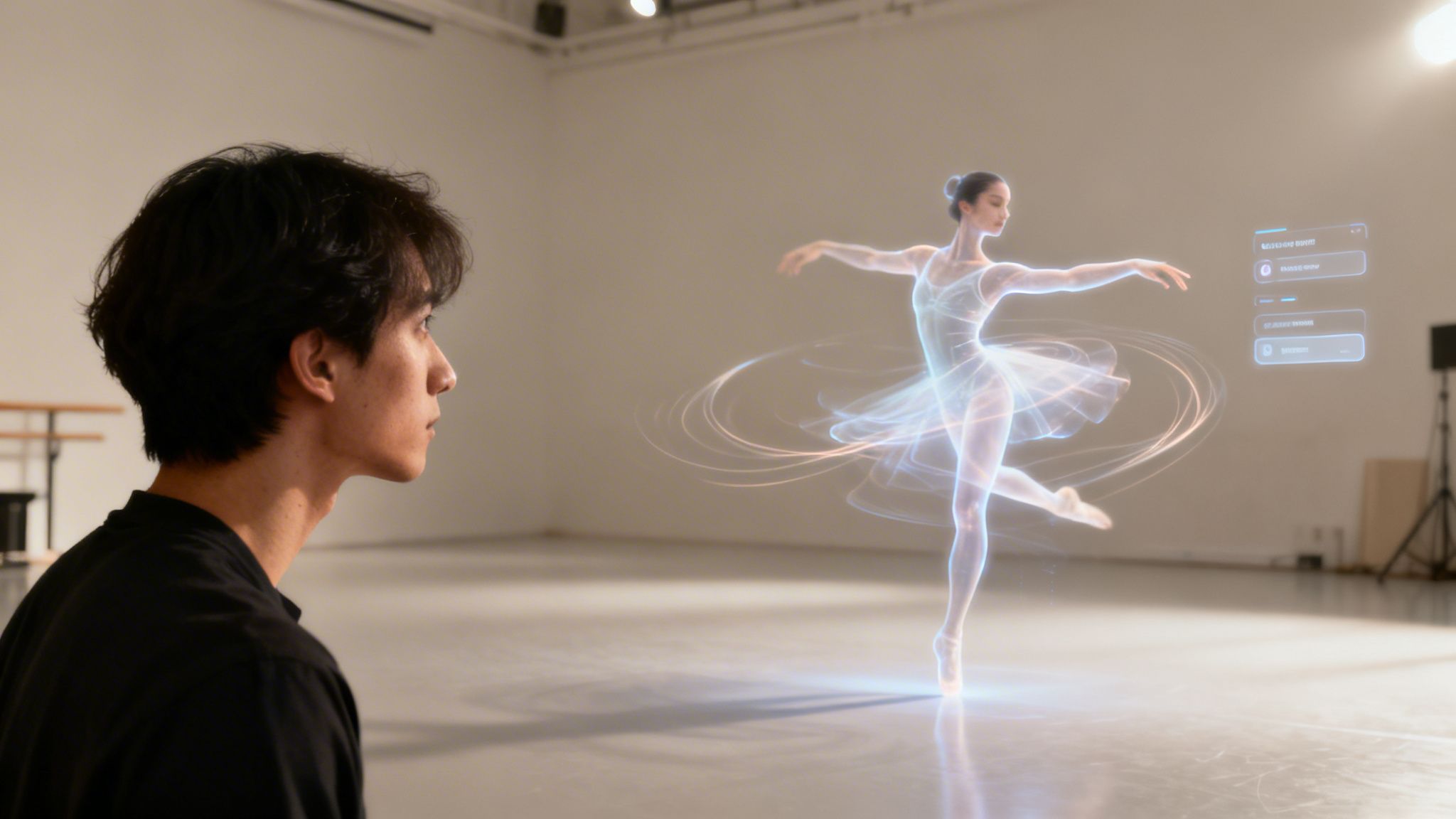
Imagine you could just type "a cartoon fox does the latest TikTok dance" and watch it unfold in seconds. That’s the magic behind Seedance 2.0. It’s a specialized generative AI built to do one thing exceptionally well: create high-quality, believable motion sequences. This isn't about making entire videos from the ground up; it's about nailing the hardest part of any animation—the movement itself.
Where older animation tools often gave us stiff, robotic results, this model is trained on the subtle physics of human motion. It gets the concepts of momentum, balance, and the natural rhythm of a dance, which makes the final animation feel far more authentic and engaging for platforms like TikTok, Instagram Reels, and YouTube Shorts.
To get a clearer picture of where this tool fits, here's a quick summary.
Seedance 2.0 At a Glance
The table below breaks down the model's core function, its most common application, and who stands to benefit the most from it.
| Core Functionality | Primary Use Case | Target User |
|---|---|---|
| Text-to-motion & image-to-motion generation | Creating custom dance and movement animations for existing characters or avatars. | Social media creators, digital marketers, and independent animators. |
| Physics-based motion rendering | Producing fluid, realistic movements that follow the rules of momentum and balance. | Anyone needing to animate characters for short-form video content quickly. |
| Specialized dance choreography | Replicating specific dance styles, from ballet to modern hip-hop, with high fidelity. | Brands and influencers looking to participate in viral dance trends with animated content. |
In short, Seedance 2.0 is a motion engine designed for speed and creativity, letting you animate a static character without the traditional headaches.
From Simple Prompts to Complex Choreography
The real power here is how Seedance 2.0 interprets creative commands. It acts as the bridge between your idea and a finished animation, completely sidestepping the need for complex software or years of animation training. For creators and marketers, this is a game-changer. You can now produce eye-catching animated content without the huge time and budget commitments that were once unavoidable.
Here’s what that practically means for your workflow:
- Speed: Go from idea to animated clip in minutes, not days.
- Accessibility: You don't need any prior animation experience to get great results.
- Creativity: Instantly experiment with unique character movements and hop on new dance trends.
- Cost-Effectiveness: Drastically cut down the costs associated with hiring professional animators for short videos.
At its heart, Seedance 2.0 is a motion engine. It takes a static character and breathes life into it based on your vision, making it an essential tool for anyone looking to add a dynamic animated layer to their video content.
A New Tool for Visual Storytelling
This isn't just a cool gimmick; it’s a major step toward making animation a routine part of everyday content creation. While other AI models, like the ones discussed in our guide to the best text-to-video AI tools, focus on generating complete scenes, Seedance 2.0 zeroes in on perfecting character motion.
This specialized approach ensures the animations are not only visually impressive but also contextually right for the prompt, whether you need a graceful ballet pirouette or a high-energy hip-hop routine.
What's New in Seedance 2.0? A Look at the Key Features
On the surface, AI-powered motion sounds cool, but the real magic is in the details. Seedance 2.0 isn’t just a minor update; it’s a complete overhaul focused on fixing the clunky, awkward problems that plagued older AI animation tools. These changes aren’t just for show—they give creators practical tools to make videos that look and feel real.
Let’s dive into what actually makes this model a go-to for anyone serious about short-form video.
Motion That Finally Looks Real
The first thing you’ll notice is how much better the physics are. Characters don’t have that signature “AI stiffness” anymore. Instead, they move with a genuine sense of weight, momentum, and balance. It just feels right.
When a dancer lands a jump, you can almost feel the impact. When a character swings a sword, it has a believable arc. This is a huge deal for keeping viewers hooked, because our brains are hardwired to spot fake-looking movement, and that instantly breaks the illusion.
Turning Simple Words into Complex Moves
At its heart, Seedance 2.0 is all about turning your text prompts into detailed choreography. This is where most creators will spend their time. You just type out what you want to see, and the AI builds the entire motion sequence.
- For fun: "A cat confidently strutting down a runway."
- For a story: "A weary traveler slumping onto a bench, exhausted."
This completely demolishes the old technical hurdles of animation. You don't need to know anything about rigging or keyframes. You just need an idea. And because the model is better at understanding natural language, it can pick up on the subtle details in your prompts, getting you much closer to the scene you pictured in your head.
The real power of Seedance 2.0 is how it turns anyone into an animation director. It translates the nuance of human language into fluid, physics-aware motion.
Keeping Your Characters and Backgrounds Consistent
One of the most frustrating things about AI video has always been the lack of consistency. A character's shirt might change color mid-spin, or the background warps for no reason. Seedance 2.0 has made a massive leap forward here.
Now, if you upload a reference image of your character, the model works hard to keep their look—from their face to their outfit—the same from start to finish. This is huge for anyone trying to build a brand with a recurring character or mascot for their TikTok or YouTube Shorts channel. The background also stays put, so the focus remains on the action without any weird, distracting glitches. Your final video just looks cleaner and more professional.
Putting Seedance 2.0 To Work in Your Video Workflow
Knowing the features of a tool is one thing, but actually fitting it into your daily grind is what really matters. When it comes to Seedance 2.0, the goal isn’t to throw out your entire video creation process. Instead, think of it as slotting in a powerful animation step that saves you a ton of time and seriously boosts your final product.
It’s like having a specialist on your team. You still own the big picture—the strategy, the final edit, the overall vibe—but you hand off the heavy lifting of character animation to the AI. This is a game-changer for anyone trying to make standout content for TikTok or YouTube Shorts without getting lost in complex animation software.
The core idea is refreshingly simple: you give it a prompt, it generates the motion, and you get a video clip to work with.
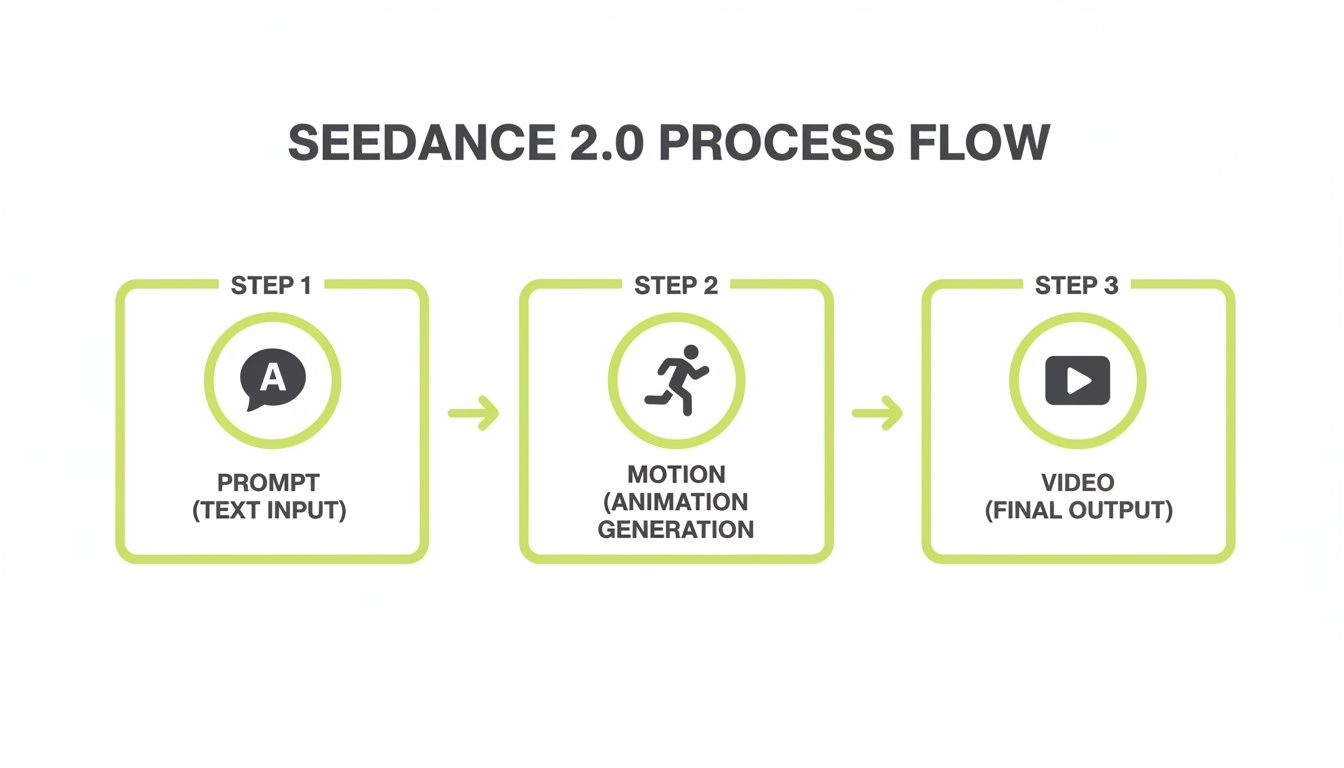
As you can see, it’s all about turning a simple text idea into a polished animated clip you can drop right into your projects. So, what does this actually look like in practice?
A Practical Step-by-Step Workflow
For creators, efficiency is king. You need a workflow that’s quick, repeatable, and doesn't get in the way of your creativity. Here’s a simple, five-step process you can start using today.
-
Idea and Script: As always, start with your video concept. Are you making an animated explainer? A funny GIF for a Reel? Maybe a short character-driven story? Just map out the shots you need and pinpoint exactly where you want an animated character to pop in.
-
Gather Your Assets: Next, pull together your source material. This could be a static image of your brand’s mascot, a photo of a character you want to bring to life, or even a video clip with a cool motion you want the AI to copy.
-
Write a Killer Prompt: This is where the magic happens. Your prompt is your direct instruction to the AI, so clarity is key. Instead of something vague like "character dances," get specific: "a cute robot mascot does a popular TikTok shuffle dance, full body shot, energetic movement." The more detail you provide about the action, character, and mood, the better your result will be.
-
Generate and Tweak: Pop your reference image and prompt into Seedance 2.0 and let it run. Check the output. Don’t hesitate to adjust your wording and regenerate a few times. You'd be surprised how a small change in the prompt can create a completely different animation.
-
Edit and Integrate: Found a clip you love? Perfect. Download it and bring it into your favorite video editor, whether that's CapCut or Adobe Premiere Pro. Now you can layer it with other footage, add text, drop in sound effects, and lay down a music track to tie it all together.
The trick is to treat Seedance 2.0 as a clip generator, not a full-blown video editor. This lets you inject high-quality animation into your projects without messing with the unique editing style you’ve already developed.
For anyone serious about building a content machine, figuring out how to scale content creation with tools like this is a massive unlock. A workflow like this lets you pump out more engaging, animated videos without multiplying your effort or budget, keeping your feed fresh and your audience hooked.
Is Seedance 2.0 The Right AI Tool For You?
So, should you add Seedance 2.0 to your creative toolkit? The answer really boils down to what you're trying to accomplish. This isn't a magic button that creates entire videos for you; it's a specialized instrument designed for a very specific job. Understanding where it shines—and where it doesn't—is key to making the right call.
I like to think of it like a professional chef's kitchen. You have a whole rack of knives, each with a purpose. Seedance 2.0 is the precision filleting knife. It’s perfect for the delicate and highly specific task of animating a character. It gives you incredible control over that one element, but you wouldn’t use it to chop a pile of onions.
That focused purpose is both its biggest strength and its main limitation. If you already have a video editing workflow and just need to drop in some slick, custom animations, it's a fantastic fit. But if you’re looking for an AI to dream up and produce an entire video from start to finish, you'll need to look elsewhere.
The Good, The Bad, and The Glitchy
Every tool comes with trade-offs. The trick is to find one where the pros supercharge your workflow and the cons are something you can easily manage. Here’s a no-fluff look at what you’re getting into with Seedance 2.0.
-
Pro: Unleash Your Creativity, Fast. You can go from an idea to a unique, custom animation in a matter of minutes. For a creator jumping on a TikTok trend or a marketer needing a quick ad asset, that speed is a game-changer compared to the weeks traditional animation can take.
-
Con: The Prompting Puzzle. Getting started is easy, but getting exactly the motion you see in your head takes some practice. If your prompts are too vague, the results can feel a bit generic or just plain weird. Expect a bit of trial and error as you learn to speak its language.
-
Pro: Silky-Smooth Motion. This model is seriously good at creating fluid, believable character movements. If the animation itself is the star of your content, the quality you can get here will make your videos pop and stand out from the crowd.
-
Con: The Occasional AI Hiccup. Let's be real—it's still generative AI, and it's not flawless. You might run into some minor visual artifacts or a movement that just feels a little off. This usually means regenerating the clip or making a quick fix in your video editor.
Seedance 2.0 is at its best when you treat it as a powerful motion-generation plug-in for your broader video strategy. It gives you the power to create custom animated assets on the fly, but it expects you to be hands-on to bring the final video to life.
Seedance 2.0 vs. Full Video Generators like Nereo
To really nail down where Seedance 2.0 fits, it helps to see it next to a different class of tool. Let’s take something like Nereo, which is built to create entire, 60-second anime shorts from a single prompt. It handles the story, characters, art style, and scene cuts all on its own.
This table breaks down the fundamental difference in approach:
| Aspect | Seedance 2.0 (Motion Generator) | Nereo (Full Anime Video Generator) |
|---|---|---|
| Primary Function | Generates isolated character motion clips. | Creates complete, story-driven videos from scratch. |
| User Input | Text prompts and/or reference images for one action. | A single, comprehensive text prompt for an entire story. |
| Best For | Adding a custom animated character into an existing video project. | Producing full-length anime shorts for platforms like TikTok or YouTube Shorts. |
| Workflow Role | A component within your video editing process. | It is the entire video creation engine. |
In the end, it’s about choosing the right tool for the job. If you want to add a dancing mascot to your next Instagram Reel or have an animated character react to your gameplay, Seedance 2.0 is an incredible asset. But if your goal is to produce entire animated stories with minimal fuss, a full video generator is definitely the way to go.
Prompting Strategies for Viral Video Content
Getting the most out of Seedance 2.0 really boils down to how you talk to it. The tech behind the curtain is incredibly complex, but your job is simple: be a clear director. Think like you're on a film set giving specific instructions to an actor, not like you're writing code. Your goal is to eliminate any guesswork for the AI.
The best prompts are layered. You start with the main action, then pile on the details—who the character is, where they are, and what the overall vibe should be. This step-by-step approach is the secret to getting the AI to produce a clip that actually matches what's in your head.
Crafting Prompts for Specific Platforms
Let's be real: the vibe on TikTok is completely different from YouTube Shorts. A prompt for a lightning-fast dance trend won't work for a more cinematic, story-driven Short. You have to tweak your language to fit the platform.
Here are a few examples you can steal and adapt for your own projects:
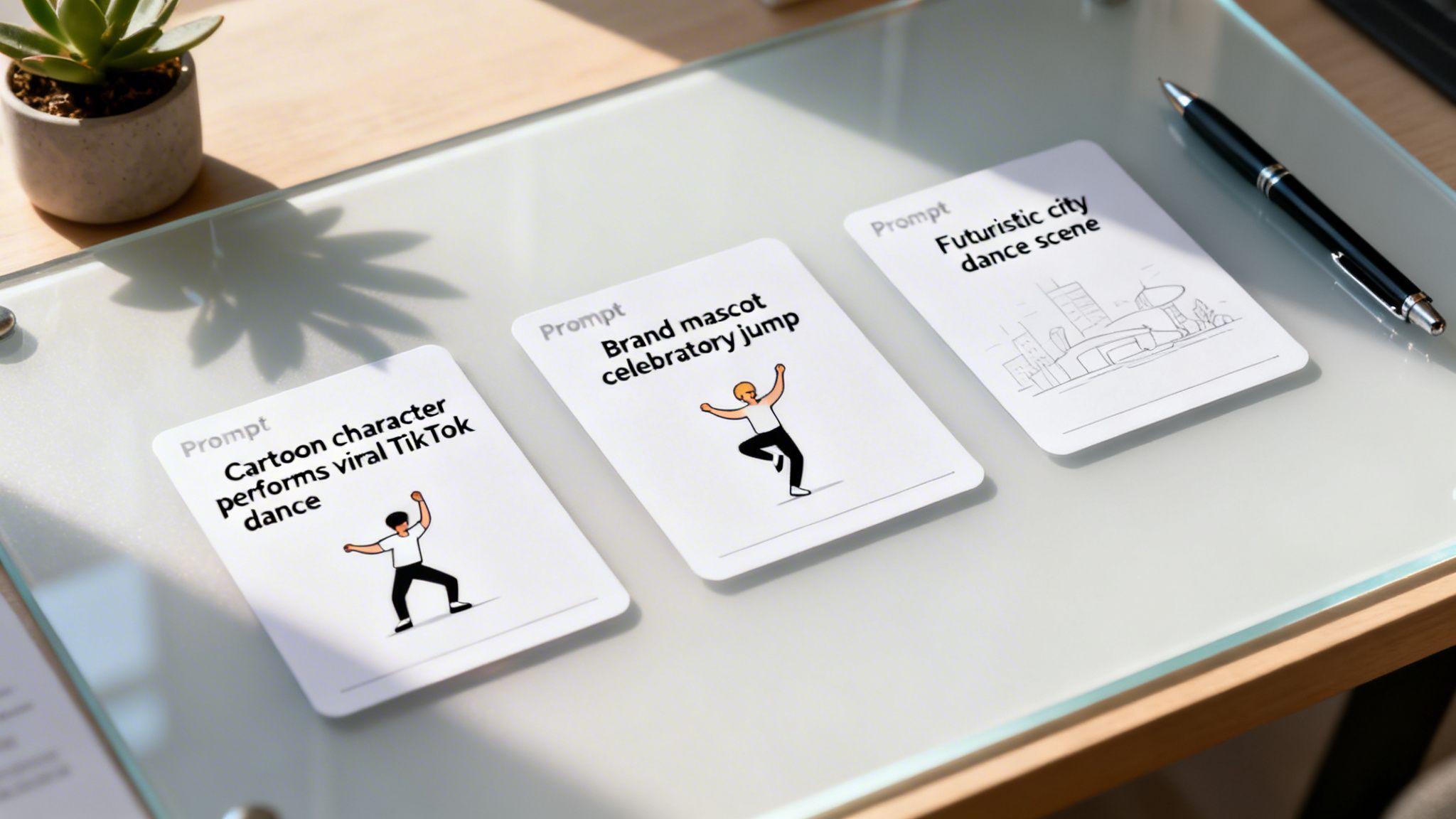
- For TikTok: "A cartoon astronaut does the latest viral TikTok dance, zero gravity, floating in a vibrant nebula."
- For Instagram Reels: "A brand mascot performs a celebratory jump and waves at the camera for a new product launch, clean white background, energetic and happy."
- For YouTube Shorts: "A low-poly fox character explores a mystical forest at night, walking cautiously and looking around, cinematic lighting."
See the pattern? Each one follows a simple but powerful formula: [Character] + [Action] + [Setting/Mood]. Sticking to this structure is your ticket to consistently great results.
Think of your prompt as the creative blueprint for the AI. The richer your details about the movement, the environment, and the tone, the closer the final animation will be to your original vision.
Three Actionable Content Strategies
Instead of just using Seedance 2.0 for one-off clips, you can build entire content series around it, making it a core piece of your production pipeline. These strategies are gold for anyone trying to pump out engaging animated content on a regular basis. And if you're looking to generate full videos from a single prompt, you should check out our guide on using an AI video generator for YouTube.
-
The Animated Product Showcase
- Goal: Make eye-catching ads or organic posts that stop the scroll for e-commerce brands.
- How-to: Take a static image of your product and have an animated character interact with it. Picture a cute character unboxing your item, showing off a cool feature, or just dancing excitedly beside it. It instantly gives a flat product photo some much-needed personality.
-
The Recurring Character Series
- Goal: Build a recognizable brand personality and a dedicated fanbase on TikTok or YouTube Shorts.
- How-to: Create a unique mascot or character. Then, use that same reference image to put them in new situations every week. You maintain perfect visual consistency while your character reacts to trends, tells mini-stories, or stars in short skits.
-
The Viral Trend Replicator
- Goal: Jump on trending dances and memes at lightning speed to ride the wave of visibility.
- How-to: The moment a new dance challenge blows up, prompt your animated character to perform it. This lets your brand join the cultural conversation in a totally unique way, often just hours after a trend starts. It's a massive speed advantage.
How AI Animation Is Shaking Up Content Creation
<iframe width="100%" style="aspect-ratio: 16 / 9;" src="https://www.youtube.com/embed/stysNDEAqVA" frameborder="0" allow="autoplay; encrypted-media" allowfullscreen></iframe>
AI motion generators like Seedance 2.0 are doing more than just churning out cool clips—they're completely changing who gets to be an animator. For years, high-quality animation was trapped behind huge budgets and teams of specialists. It was a game only big studios and major corporations could afford to play.
This technology tears down that wall. Suddenly, a solo creator with a great idea can produce character animations that just a few years ago would have required an entire professional team. This shift gives small businesses and individual storytellers a fighting chance, letting them bring their visions to life without needing a studio's bankroll.
The New Creator Economy
This newfound access is kicking off a huge wave of creativity and new economic possibilities. The hunger for quick, eye-catching animated content on platforms like TikTok and YouTube Shorts is absolutely massive, and it's growing every day.
You can see this demand reflected in the market's explosive growth. For example, the AI Anime Generator market, which covers tools that can spit out entire anime shorts from a single prompt, has ballooned to a USD 91.56 billion valuation. That number alone shows just how badly creators and marketers want tools that make animation easy. You can dig into more of these insights in the full SNS Insider report.
Reshaping Digital Advertising
For marketers, this is a game-changer for cutting through the online clutter. Instead of recycling tired stock footage or coordinating expensive live-action shoots, brands can now create custom, on-brand animations in a tiny fraction of the time.
AI animation tools are turning content creation from a high-cost, high-effort endeavor into a rapid, iterative process. This allows for more experimentation, faster campaign launches, and a more direct connection with audiences through unique visual storytelling.
At the end of the day, tools like Seedance 2.0 are handing over a massive amount of creative power to the masses. They’re giving the keys to high-impact visual storytelling to anyone with an internet connection, paving the way for a much more interesting and diverse content world.
Got Questions About Seedance 2.0?
Whenever a new creative tool comes on the scene, there are always a few practical questions that pop up. Let's get right into the most common ones so you can get started with Seedance 2.0 feeling confident.
Can I Actually Use This for Commercial Projects?
Yes, absolutely. The animations you cook up with Seedance 2.0 are generally cleared for commercial use. That means you can use them in social media ads, for product videos, or as part of your branded content.
That said, it's always smart to give the platform's terms of service a quick read. Licensing details can sometimes get updated, so it's good to stay in the loop.
How Is Seedance 2.0 Different from Something Like Sora or Pika?
This is a great question. While tools like Sora and Pika are built to generate entire video scenes from a text prompt, Seedance 2.0 is much more specialized. It zeroes in on one thing and does it incredibly well: character motion.
Think of it less as a full scene director and more as a world-class choreographer. Its real magic is producing high-quality, believable dance moves and other movements for a character you already have. It's not about creating the world, but about bringing your character to life within it.
What's the Secret to Writing Good Prompts?
For the best results, you have to get specific. Vague prompts lead to vague animations. A solid formula to follow is [Character] + [Specific Action] + [Mood or Setting].
For example, don't just write "character dancing."
Instead, try something like: "a joyful cartoon robot does the shuffle dance in a futuristic city." The more detail and context you feed the AI, the closer it can get to matching the vision in your head.
Ready to create stunning, story-driven anime shorts in seconds? Nereo is the world's first AI anime generator that creates complete 60-second videos from a single prompt. Try Nereo for free today and bring your stories to life.