
In 2026, the content creation process has fundamentally changed. The era of spending countless hours on repetitive tasks like manually transcribing audio, trimming silent gaps in videos, or wrestling with complex script outlines is over. Sophisticated artificial intelligence now serves as a creative co-pilot, automating the most tedious aspects of production and opening up entirely new avenues for storytelling and audience engagement. This guide is your practical roadmap to the best AI tools for content creators, designed to help you build a more efficient and powerful workflow.
We move beyond generic feature lists to provide a comprehensive analysis of the top platforms shaping modern content. This article details 12 essential tools across video, audio, text, visuals, and automation, with a specific focus on optimizing production for high-impact short-form video on platforms like TikTok, YouTube Shorts, and Instagram Reels. We'll examine their real-world strengths, acknowledge their honest limitations, and show you exactly how to integrate them into your creative pipeline.
Inside this resource, you will find:
- Detailed breakdowns of each tool’s core capabilities.
- Practical use cases tailored for short-form video creators.
- Honest pros and cons to guide your decision-making.
- Clear pricing information to match your budget.
- Actionable workflow examples, including how to integrate Nereo's AI anime shorts into your production process.
Each entry includes screenshots and direct links, enabling you to quickly evaluate and adopt the platforms that best fit your specific needs. Consider this your definitive resource for navigating the new creative landscape and finding the perfect AI-powered partners for your projects.
1. Nereo
Nereo positions itself as a powerhouse AI video and image studio, solidifying its place as one of the best AI tools for content creators who need to produce high-quality short-form content with maximum efficiency. Its standout feature is the ability to generate complete, narrative-driven 60-second anime shorts from a single text prompt. This unique capability bypasses the complex, multi-step process of traditional animation, delivering a finished story, characters, and authentic art style in a single, platform-ready MP4 file.
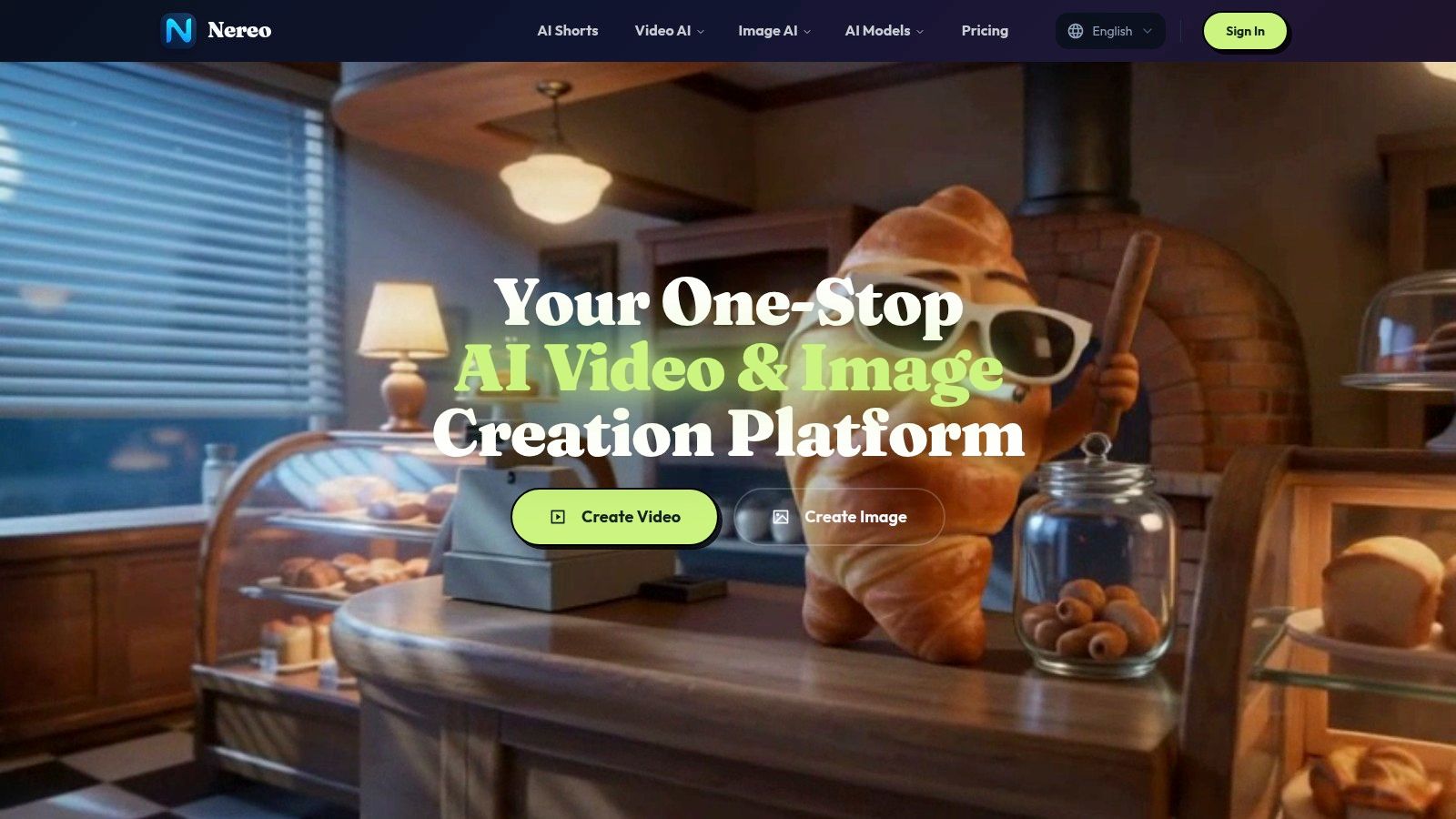
This tool is engineered for speed and versatility, making it ideal for TikTok creators, YouTube Shorts producers, and marketers who need to capture audience attention instantly. Generation times are remarkably fast, with most videos rendering in just one to five minutes.
Key Strengths & Use Cases
What truly sets Nereo apart is its role as an aggregator for multiple top-tier generative models, including Sora 2, Veo 3, Seedance, and Nano Banana. This grants creators access to a diverse palette of visual styles and motion capabilities without needing separate subscriptions.
- For TikTok & Reels Creators: Generate a whimsical, narrative-driven anime short like "a fox and a fairy sharing tea in a glowing forest" to create a viral series. Use the image-to-video feature with a reference image to maintain character consistency across multiple episodes.
- For E-commerce Marketers: Create a cinematic, 1:1 square ad showcasing a product with an elven archer for a fantasy-themed campaign. The platform’s support for multiple aspect ratios ensures content is optimized for any feed.
- For Advertisers: Quickly produce a 9:16 vertical video hook featuring dynamic dance movements using specialized models, perfect for grabbing attention in the first three seconds of a video ad.
How It Works
The workflow is intentionally streamlined. Users can leverage text-to-video for new concepts, image-to-video to animate existing art, or reference-to-video to guide the motion and character identity. Outputs are available up to 1080p, providing a good balance between quality and file size for social media.
- Pros:
- Creates full 60-second anime shorts from a single prompt, story included.
- Access to multiple leading AI models (Sora 2, Veo 3, etc.) in one interface.
- Supports consistent character identity through reference images.
- Extremely fast generation times (1-5 minutes).
- Commercial use rights are available for paid subscribers.
- Cons:
- Pricing and plan details are not public; you must sign up to view them.
- Maximum video resolution is currently capped at 1080p.
New users receive free credits to test the full suite of tools, which is highly recommended to assess its output quality and workflow before committing to a paid plan.
Website: https://nereo.io
2. Canva – Magic Studio
Canva’s Magic Studio integrates a powerful suite of AI tools into its already user-friendly design platform, making it a top contender for creators who need to produce high-quality social media assets quickly. It’s an all-in-one solution that combines visual design, video editing, and generative AI, eliminating the need to jump between multiple applications for a single project. Its primary strength lies in its exceptionally low learning curve, allowing creators to go from idea to a published Reel or Short in minutes.
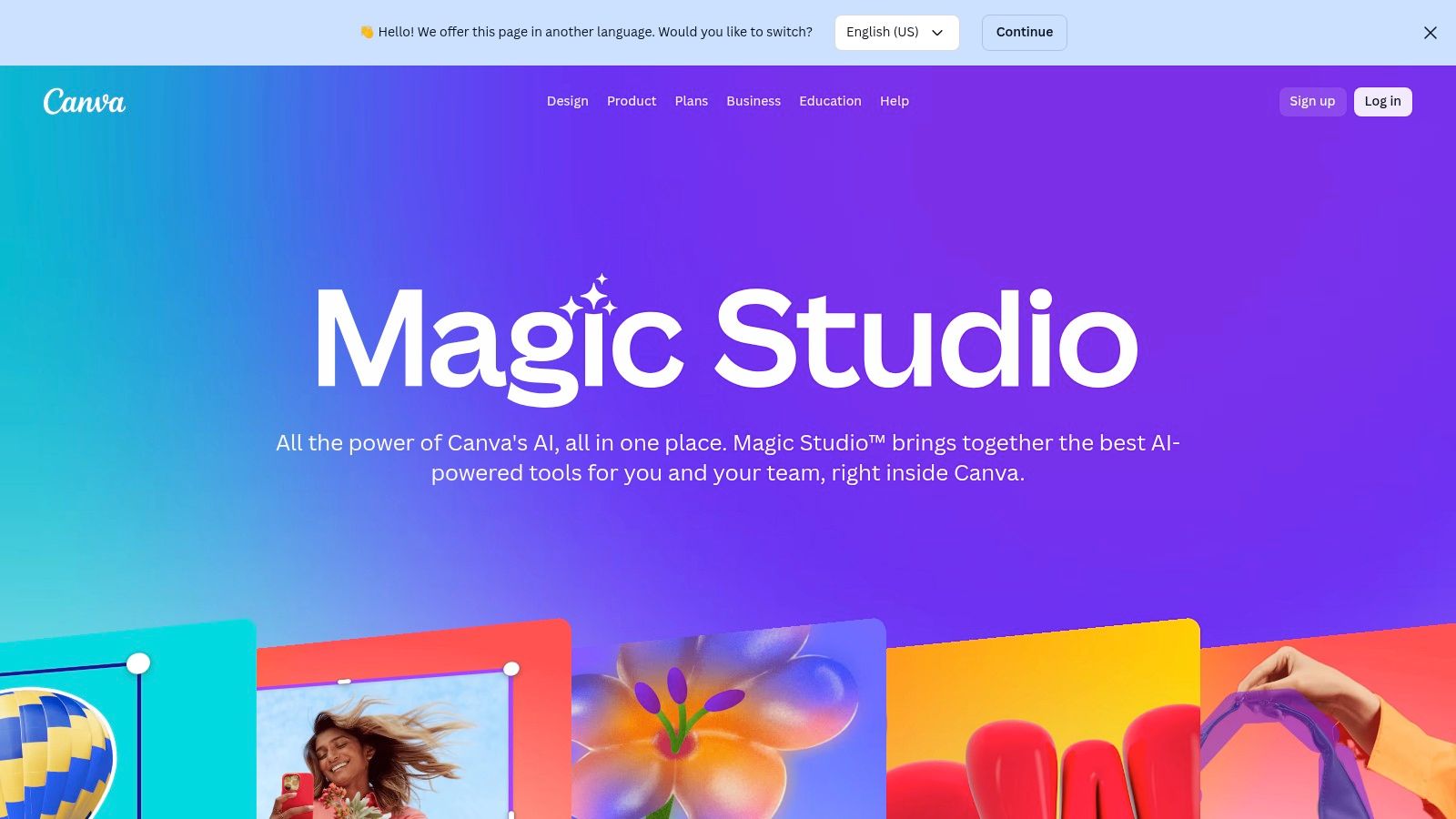
The platform shines with features like Magic Design, which instantly generates on-brand video drafts and layouts from a simple prompt. For creators struggling with writer's block, Magic Write provides AI-powered copy that can be tuned to a specific brand voice. The Magic Media feature provides text-to-image and video generation, a core component of many modern AI workflows. For a deeper understanding of how this technology works, you can find more information about text-to-image tools online.
Core Features & Use Cases
- Magic Switch: Instantly resize a YouTube video into a TikTok-ready 9:16 format, or translate the text overlays into multiple languages for a global audience with a single click.
- Magic Design for Video: A creator can upload raw footage, type a prompt like "energetic travel vlog intro," and receive a fully edited, on-brand video clip complete with suggested music and transitions.
- Magic Media: Generate unique background images or b-roll video clips directly within your project, avoiding the need for external stock media sites.
- Brand Voice Control: Ensure all AI-generated text from Magic Write consistently matches your established brand personality, saving significant editing time.
Pricing & Key Considerations
While Canva offers a robust free tier, most of the powerful Magic Studio AI features are part of the Canva Pro ($14.99/month) or Canva for Teams ($29.99/month for 5 people) plans. These subscriptions provide a credit-based system for AI generations. Although its video editor is simpler than dedicated software like Adobe Premiere Pro, it's more than sufficient for the fast-paced demands of short-form content, making it one of the best AI tools for content creators focused on social media.
- Website: Canva Magic Studio
3. CapCut
CapCut has become the go-to video editor for creators specializing in short-form content, largely due to its tight integration with TikTok and its trend-focused features. It brilliantly simplifies complex editing tasks with accessible AI tools, making it one of the best AI tools for content creators aiming for virality on platforms like TikTok, Reels, and YouTube Shorts. Its core strength lies in its mobile-first design and a vast library of templates and effects that let users quickly replicate popular video formats.
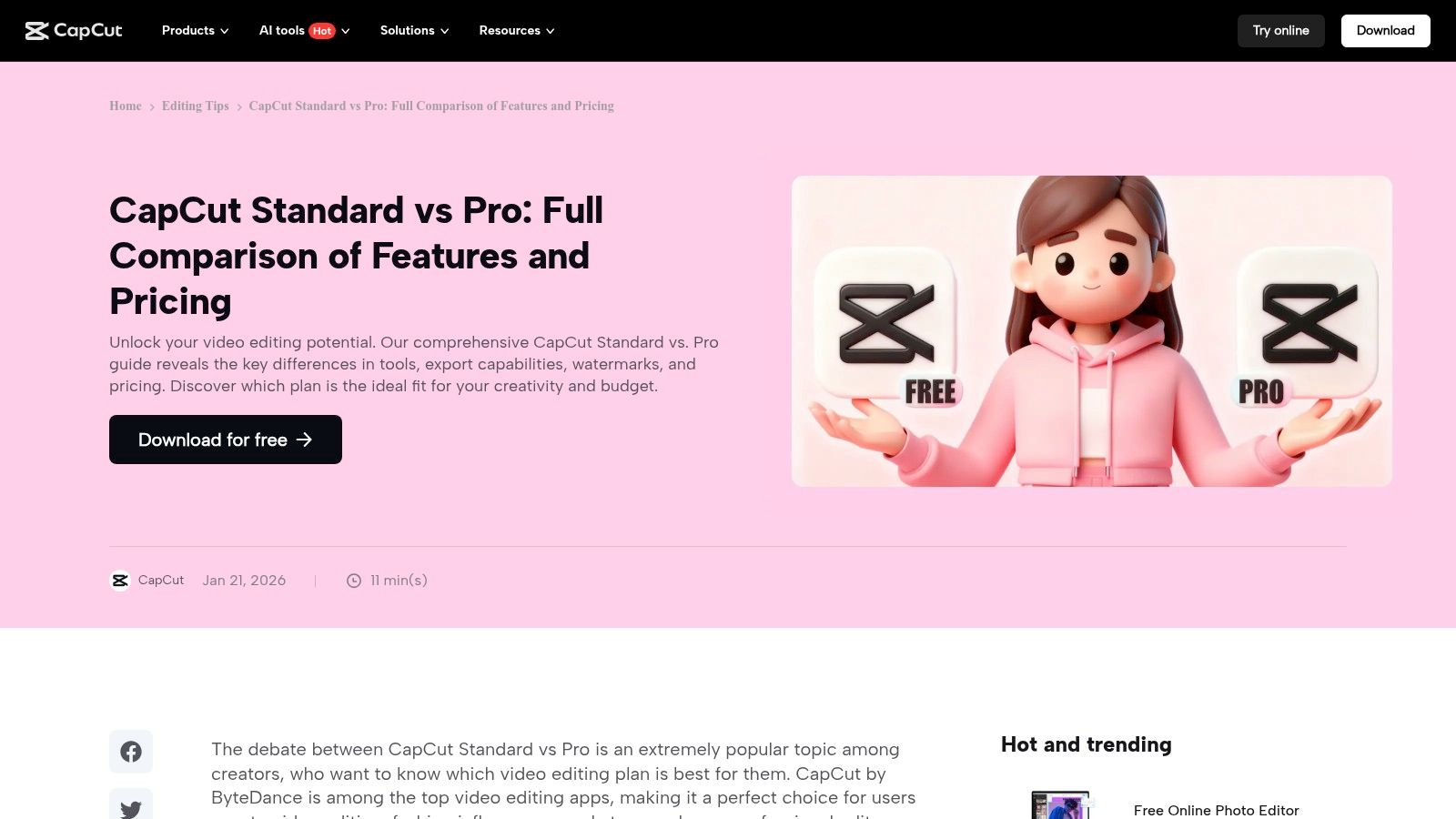
The platform is packed with AI-powered features designed for speed. Auto-captions generate synchronized subtitles with a single tap, a crucial feature for engaging viewers who watch without sound. Its AI background removal and motion tracking tools enable sophisticated edits that previously required desktop software. These functionalities are similar to professional video effects, which can elevate the production quality of any social media post. For creators needing to produce high-volume, trend-driven content, CapCut is an indispensable asset.
Core Features & Use Cases
- One-Click Background Removal: A creator can instantly remove the background from a product shot video, replacing it with a branded graphic or a generated AI background for a professional-looking promo ad.
- Auto-Captions & Transcription: Upload a talking-head video, and CapCut will automatically generate and animate captions in various trendy styles, significantly improving accessibility and viewer retention.
- AI Motion Tracking: Apply text or graphics that automatically follow a person or object in the video, perfect for creating dynamic callouts or memes.
- Template Library: Browse thousands of pre-made video templates synced to trending audio. A user can simply drop in their own clips to create a high-quality, relevant video in minutes.
Pricing & Key Considerations
CapCut offers a powerful free version that is sufficient for many creators, though some advanced features and exports may include a watermark. The CapCut Pro subscription (pricing varies by region, but is roughly $7.99/month) unlocks premium AI effects, removes watermarks, and provides cloud storage and team collaboration features. While it may not offer the deep customization of professional desktop editors, its speed and direct alignment with social media trends make it a superior choice for rapid content production.
- Website: CapCut
4. Runway
Runway is a cutting-edge platform dedicated to AI-powered video and image tools, positioning itself as a professional-grade suite for creators and advertisers who need to generate high-quality motion content rapidly. Its primary strength lies in its advanced text-to-video models (Gen-2) that produce cinematic and coherent clips from simple prompts. This makes it an essential tool for generating unique b-roll, animated sequences, or entire video concepts without needing a camera.
The platform offers a comprehensive video editor alongside its generative tools, allowing users to go from raw idea to a polished final product within a single workflow. Features like Inpainting, Motion Brush, and Super-Slow Motion provide granular control that rivals traditional editing software, but with AI-driven simplicity. For creators looking to understand the technology further, you can learn more about how text-to-video tools are revolutionizing content production.
Core Features & Use Cases
- Text/Image-to-Video: Generate a 4-second video clip of a "futuristic cityscape at night" for a YouTube Short intro, or animate a static product image to create a dynamic ad for an Instagram Reel.
- Infinite Image: Start with a generated image and expand the canvas in any direction, creating vast, detailed scenes perfect for panning shots in a video project.
- Motion Brush: A creator can upload a still photo of a waterfall and use a brush to "paint" motion onto the water, instantly turning the static image into a living video clip.
- AI Training: Train a custom AI model on a specific subject or style, allowing you to generate consistent characters or aesthetics across multiple video assets.
Pricing & Key Considerations
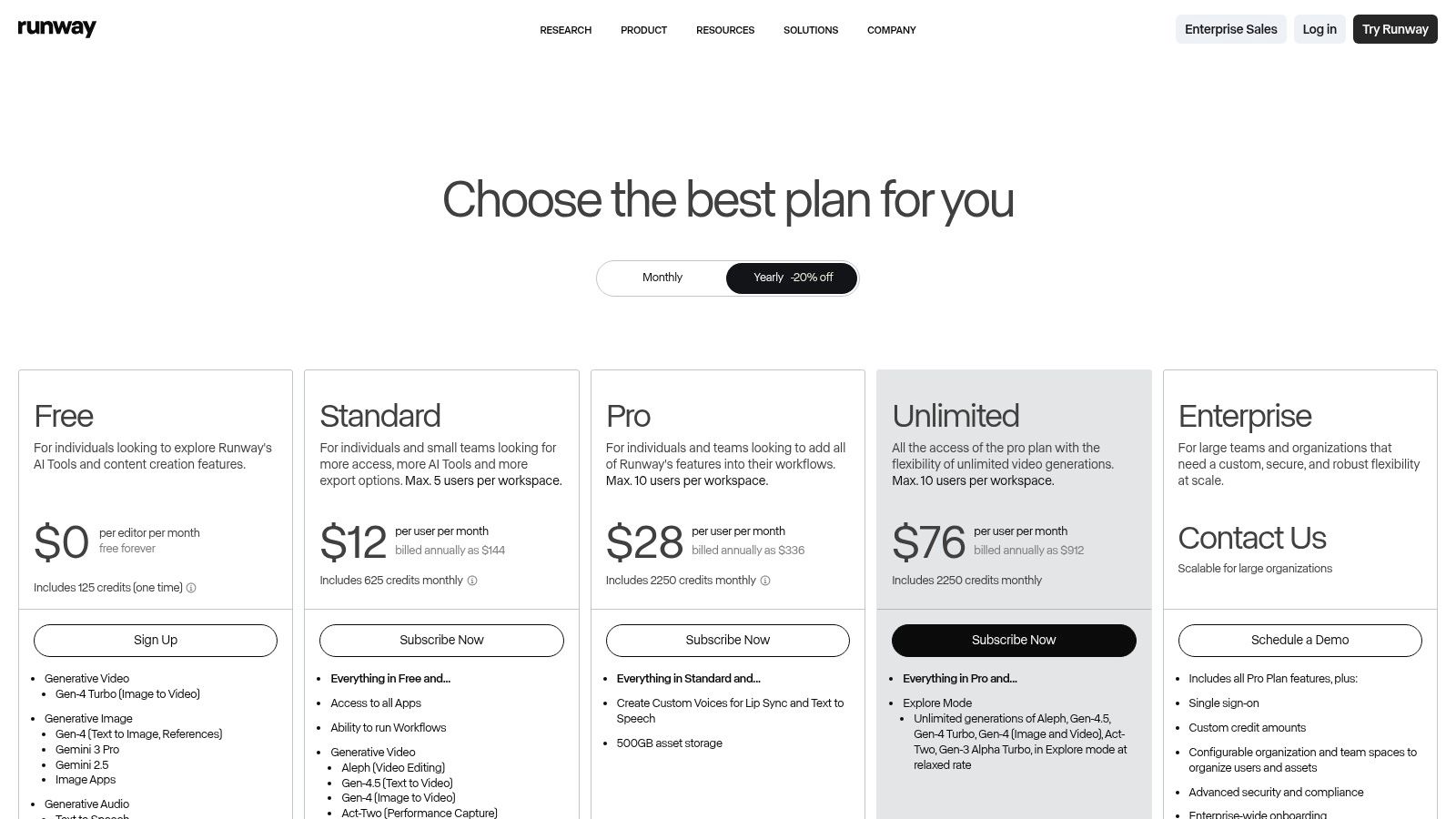
Runway operates on a credit-based system with a free Basic tier that provides a small allotment of credits. For serious use, paid plans like Standard ($15/month) or Pro ($35/month) are necessary, as they offer more credits, 4K upscaling, and watermark removal. While there is a learning curve to mastering prompt engineering for video, its high-quality output makes Runway one of the best AI tools for content creators who want to push creative boundaries in video.
- Website: Runway
5. Descript
Descript revolutionizes video and audio editing by transforming it into a text-based process, making it an essential tool for podcasters and creators repurposing long-form content. Its core innovation is allowing users to edit video and audio by simply editing a text transcript. This intuitive approach dramatically speeds up the workflow for creating social clips from interviews or tutorials, as cutting out a sentence from the transcript automatically removes the corresponding video and audio segment.
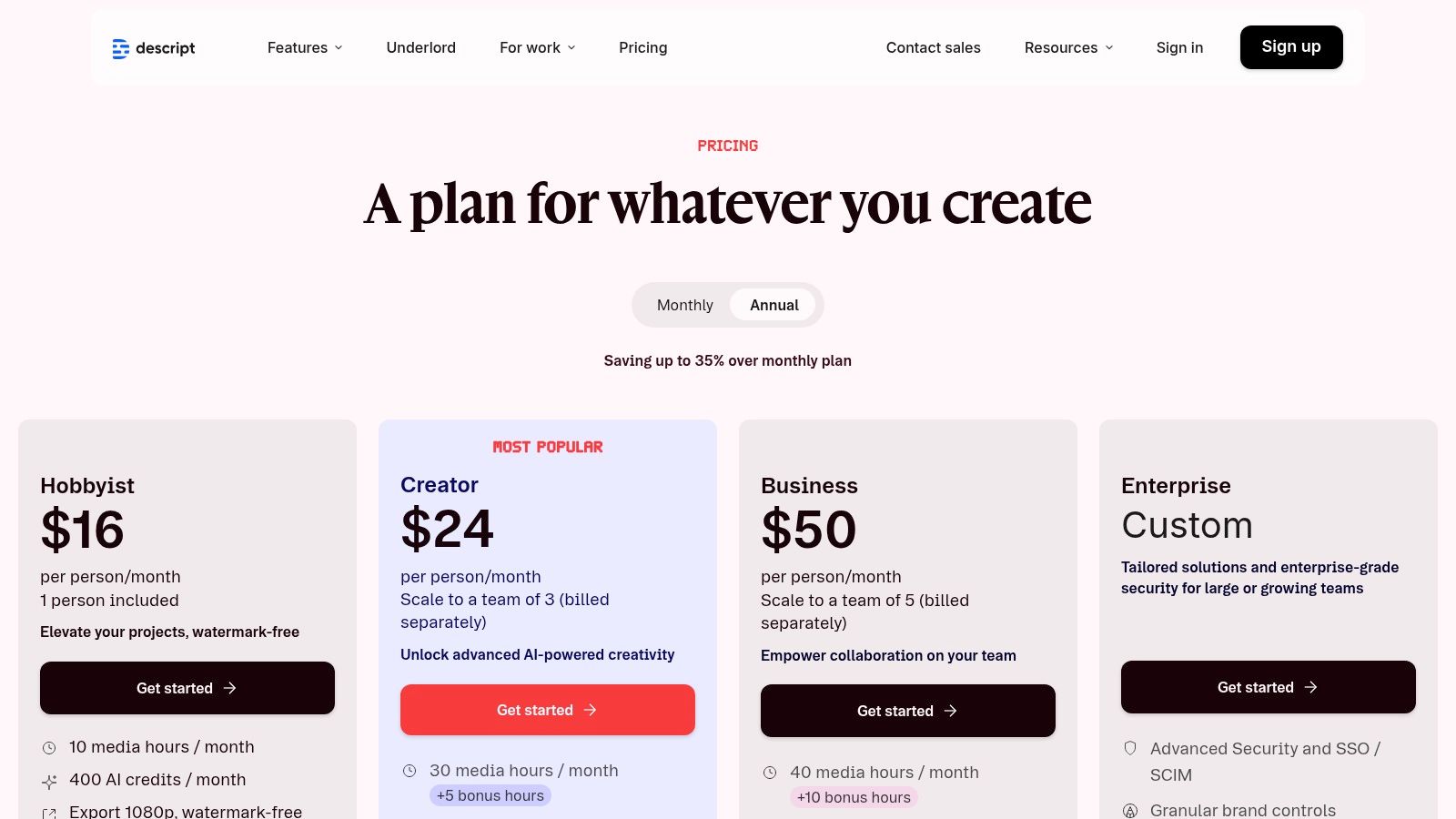
The platform is packed with AI-powered features designed for efficiency. Studio Sound cleans up background noise and enhances vocal clarity with a single click, making amateur recordings sound professional. The AI can also automatically remove filler words like "um" and "uh," saving hours of manual editing. For creators managing multiple speakers or needing to correct mistakes, Descript’s Overdub feature can generate realistic audio in their own voice.
Core Features & Use Cases
- Text-Based Video Editing: A creator can import a one-hour podcast recording, highlight the most impactful quotes in the transcript, and instantly export them as multiple, ready-to-share TikToks or Reels.
- Studio Sound: Instantly remove echo, fan noise, or street sounds from a video recorded in a non-ideal environment, ensuring a clean and professional final product.
- Filler Word Removal: Automatically detect and delete all instances of "you know" or "like" from an entire interview with one command, tightening up the final cut.
- AI Overdub & Dubbing: Correct a misspoken word in your recording by simply typing the correct word, or translate your content into another language using an AI-generated voice.
Pricing & Key Considerations
Descript has a free tier for trial purposes, but its core AI functionalities are in the paid plans. The Creator plan ($15/month) is a great starting point for individuals, while the Pro plan ($30/month) offers unlimited Overdub and access to more advanced features. While it excels at dialogue-heavy content, its motion design and visual effect capabilities are more limited than traditional video editors. This makes Descript one of the best AI tools for content creators focused on efficiency and repurposing spoken-word content at scale.
- Website: Descript
6. Adobe Express
Adobe Express is an all-in-one web and mobile editor that powerfully combines AI-driven features with Adobe's massive stock asset library. It stands out for creators and businesses that prioritize brand governance, enterprise-grade assets, and seamless integration with the broader Adobe Creative Cloud ecosystem. This makes it an ideal choice for professionals who need a reliable handoff between quick social media creation and more complex projects in apps like Photoshop or Premiere Pro.
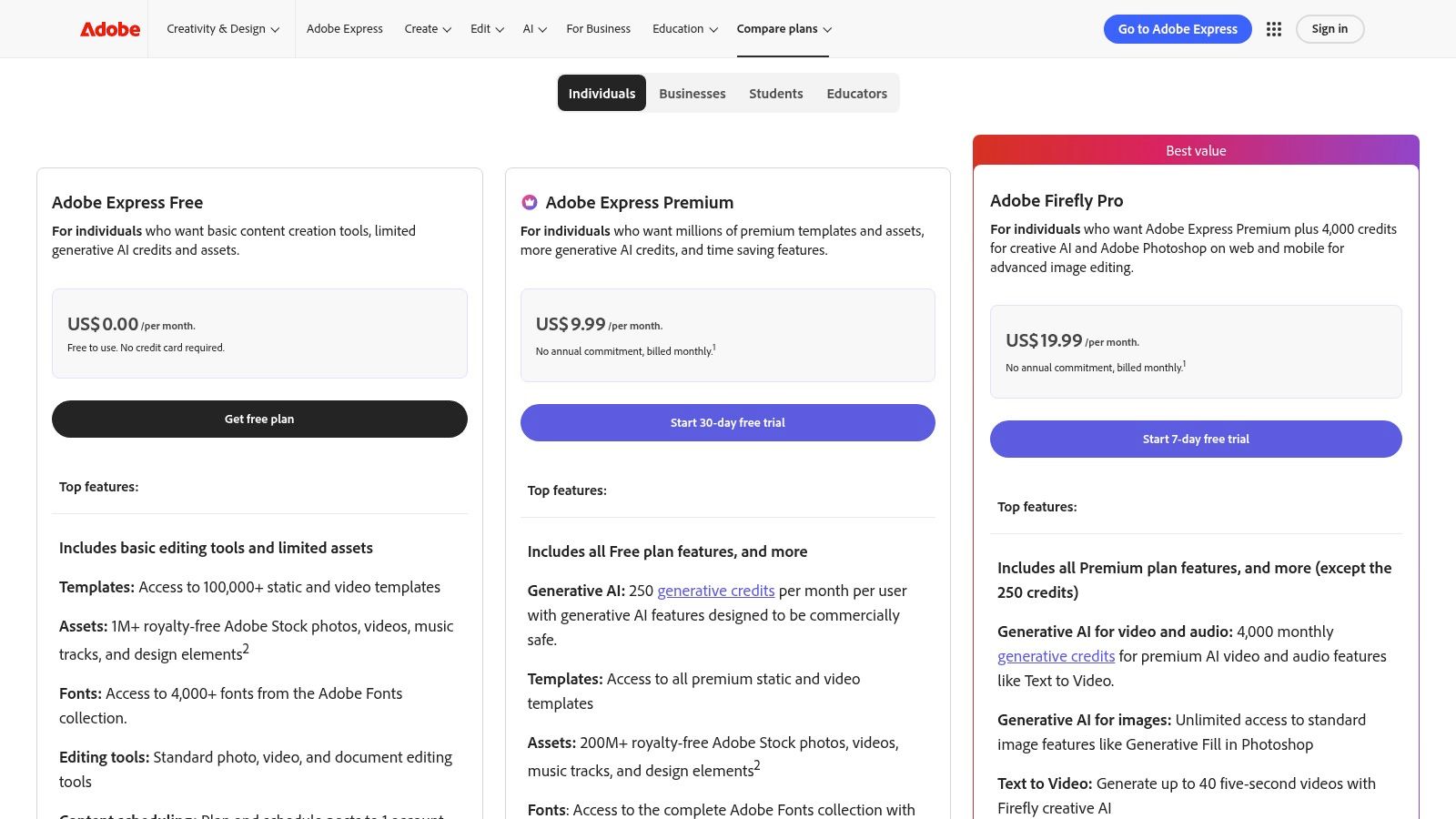
Powered by Adobe Firefly, the platform offers a suite of generative AI tools for creating images, video clips, and text effects from simple prompts. Its primary advantage is access to a library of over 200 million licensed assets, ensuring all generated and stock content is commercially safe. For teams, the ability to create and share brand kits guarantees that every Reel, Short, or social post remains consistent and on-brand.
Core Features & Use Cases
- Generative AI: Use Text to Template to instantly generate fully editable templates for a TikTok video, or Text to Image to create custom visual assets directly within your project.
- Adobe Stock Integration: A marketer can access millions of commercially licensed, high-quality photos, video clips, and music tracks to elevate their content without leaving the editor.
- Brand Kits: Set up logos, colors, and fonts that can be applied to any project, ensuring consistent branding across all social media channels, from YouTube thumbnails to Instagram Stories.
- Content Scheduler: Plan and schedule social media posts directly from Adobe Express, streamlining the content publishing workflow for multiple platforms.
Pricing & Key Considerations
Adobe Express has a free plan with basic editing and some Firefly features. The full suite of AI tools and premium assets are unlocked with the Premium plan ($9.99/month), which includes 250 generative credits per month. The credit-based model is something to consider, as heavy use may require additional purchases. While it’s one of the best AI tools for content creators needing professional-grade assets, some advanced features found in desktop apps are not yet available in the web editor.
- Website: Adobe Express
7. ElevenLabs
ElevenLabs sets the industry standard for AI-generated audio, offering hyper-realistic text-to-speech and voice cloning that can dramatically elevate a creator's production value. Its technology excels at capturing human-like intonation and emotional nuance, making it a go-to tool for generating professional voiceovers for YouTube videos, TikToks, and podcasts without needing expensive recording equipment. The platform's core strength is its unparalleled voice quality, moving beyond robotic narration to deliver genuinely compelling audio.
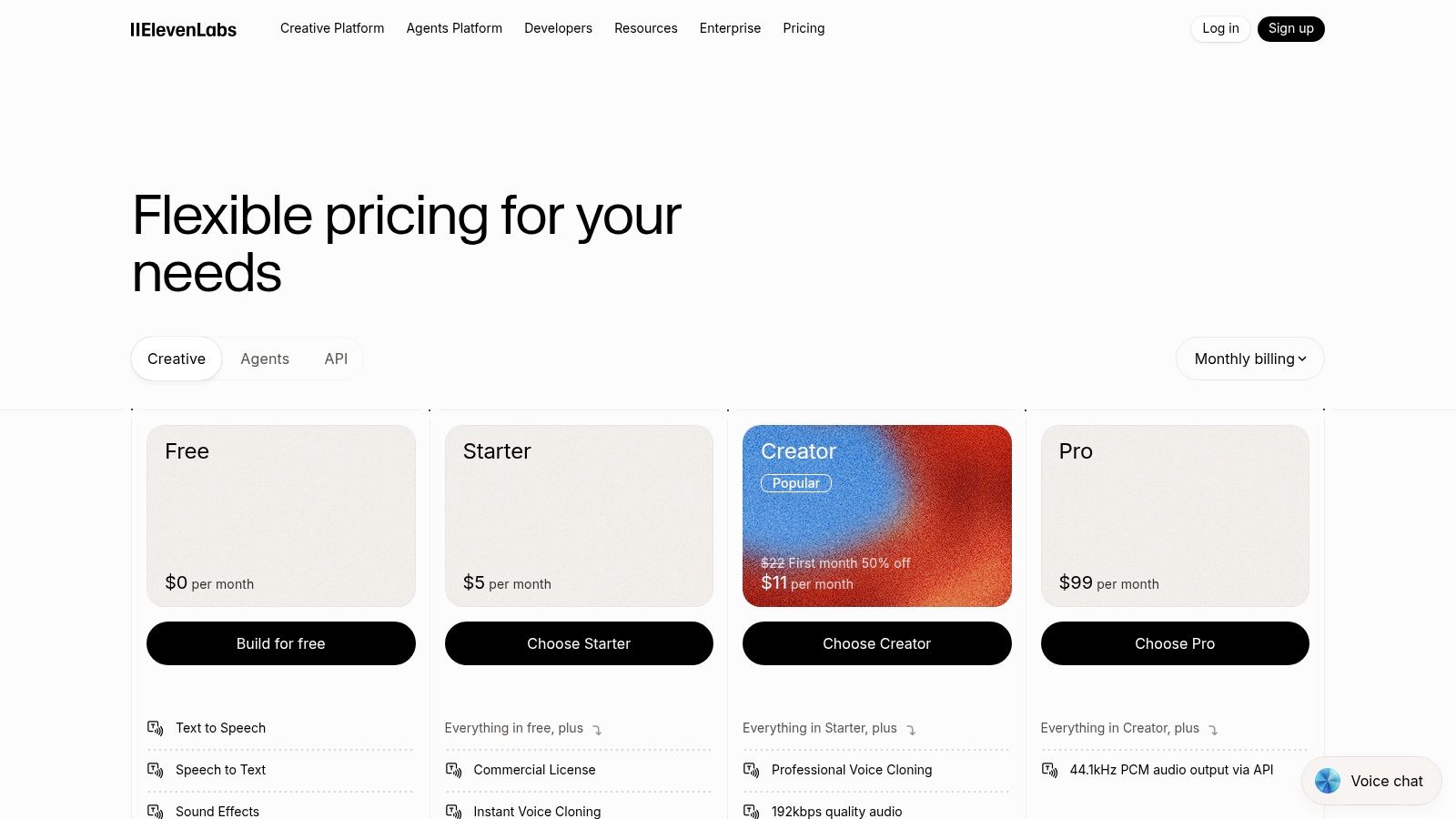
The platform is designed for a wide range of applications, from creating a consistent narrator's voice for a channel to dubbing content into multiple languages to reach a global audience. Features like Professional Voice Cloning allow creators to generate a digital replica of their own voice, enabling them to produce new audio content by simply typing a script. For creators who need to produce a high volume of voice-based content, ElevenLabs is one of the best AI tools for content creators available today.
Core Features & Use Cases
- Text-to-Speech: Convert a written script for a YouTube Short into a natural-sounding voiceover in minutes, choosing from a vast library of pre-made voices.
- Professional Voice Cloning: A creator can clone their own voice to produce audio for faceless content or sponsored segments, maintaining brand consistency even when they can't record.
- AI Dubbing: Automatically translate and dub a video's audio into dozens of languages, preserving the original speaker's vocal characteristics to expand into new markets.
- API Access: Developers and advanced users can integrate ElevenLabs' audio generation directly into their own applications and content creation workflows for maximum efficiency.
Pricing & Key Considerations
ElevenLabs operates on a credit-based subscription model. A free tier is available for trial purposes, but consistent use requires a paid plan like Starter ($5/month) or Creator ($22/month), with pricing scaling based on character count and advanced features. While the voice quality is exceptional, heavy usage can become costly, and creators must be mindful of voice IP and licensing agreements, especially when cloning voices.
- Website: ElevenLabs
8. Synthesia
Synthesia is a leading AI video generation platform that allows creators to produce professional, presenter-led videos without ever using a camera. It specializes in creating realistic AI avatars that can speak from a text script, making it ideal for crafting consistent product explainers, training modules, or multilingual ad variations. The platform's core strength is its ability to scale video production rapidly, transforming a single script into multiple videos with different presenters and languages in minutes, a task that would traditionally require significant filming and editing resources.
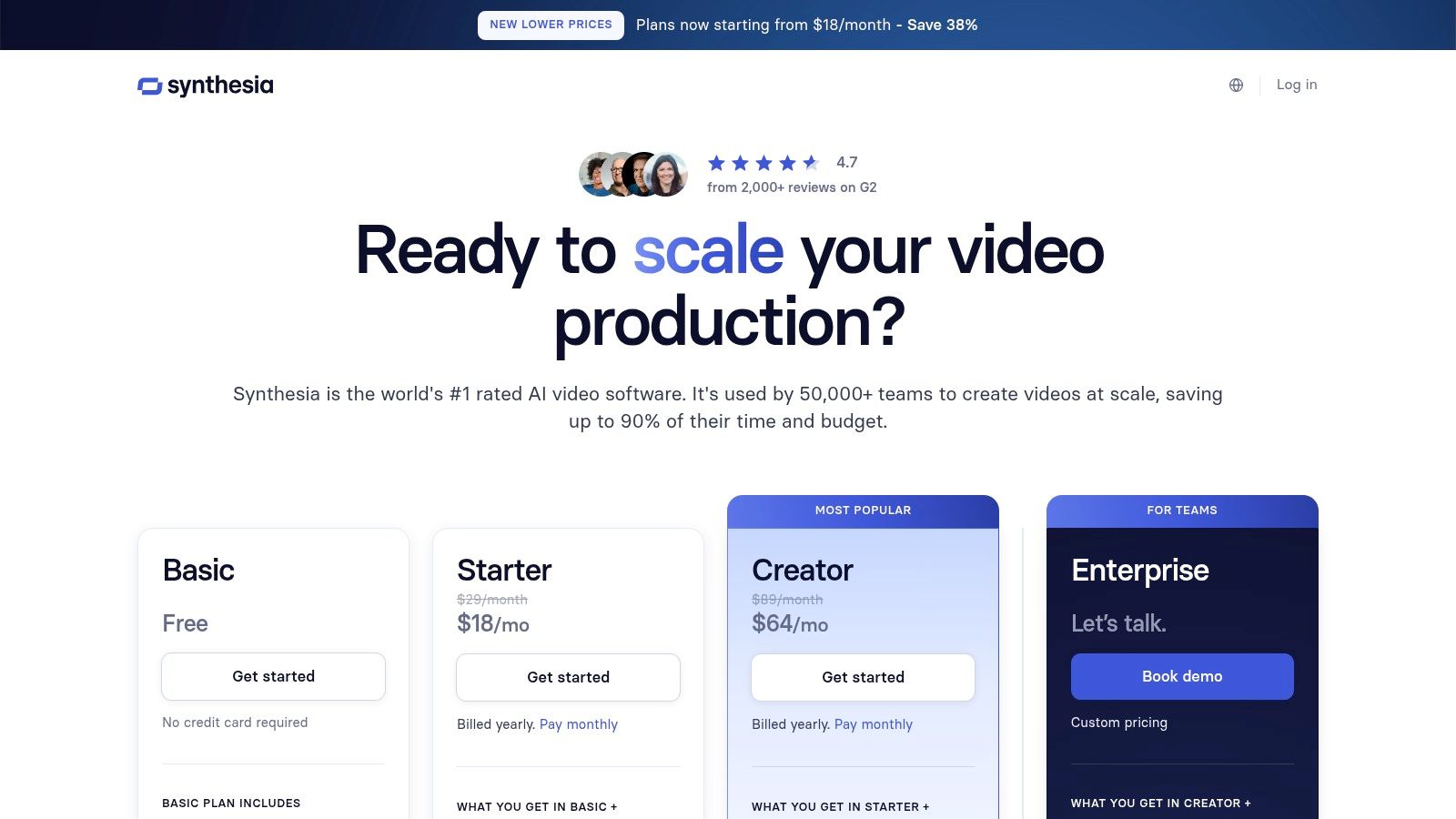
The platform offers a vast library of stock avatars and voices, and even allows for the creation of a custom digital twin for perfectly on-brand content. This is particularly useful for e-commerce marketers and advertisers looking to test different presenter styles or messaging in paid social campaigns. With its intuitive, template-driven interface, Synthesia removes the technical barriers to high-quality video production, making it one of the best AI tools for content creators focused on scalable, informative content.
Core Features & Use Cases
- AI Avatars: Choose from over 150 diverse stock avatars or create a custom one to be the consistent face of your brand across all video content.
- Text-to-Video: A marketer can paste a script for a new product feature, select an avatar, and generate a polished explainer video for a landing page or social media ad instantly.
- AI Dubbing & Translation: Take a successful English-language Instagram Reel ad and translate it into 80+ languages with a single click, localizing the voice-over to test in new international markets.
- Templates & Media Library: Accelerate video creation by using pre-designed templates for common formats like how-to guides or corporate announcements, complete with royalty-free background music and assets.
Pricing & Key Considerations
Synthesia operates on a subscription model. The Personal plan ($22/month) is a great starting point, providing 10 minutes of video generation per month. The Creator ($67/month) and Enterprise (custom pricing) plans offer more video minutes, access to premium features like custom avatars, and API integration. While the avatar style is better suited for professional explainers than cinematic content, its efficiency in producing consistent, multilingual videos is unmatched for corporate and marketing creators.
- Website: Synthesia
9. Product Hunt – AI Categories
Product Hunt is not a single tool but a crucial discovery platform for content creators seeking the absolute latest in AI innovation. Its curated AI categories serve as a daily launchpad for new and trending tools across video, audio, design, and writing. For creators who want to stay ahead of the curve, it offers early access and community-driven feedback, helping to identify powerful, niche applications before they become mainstream. This makes it an indispensable resource for finding the next game-changing app for your workflow.
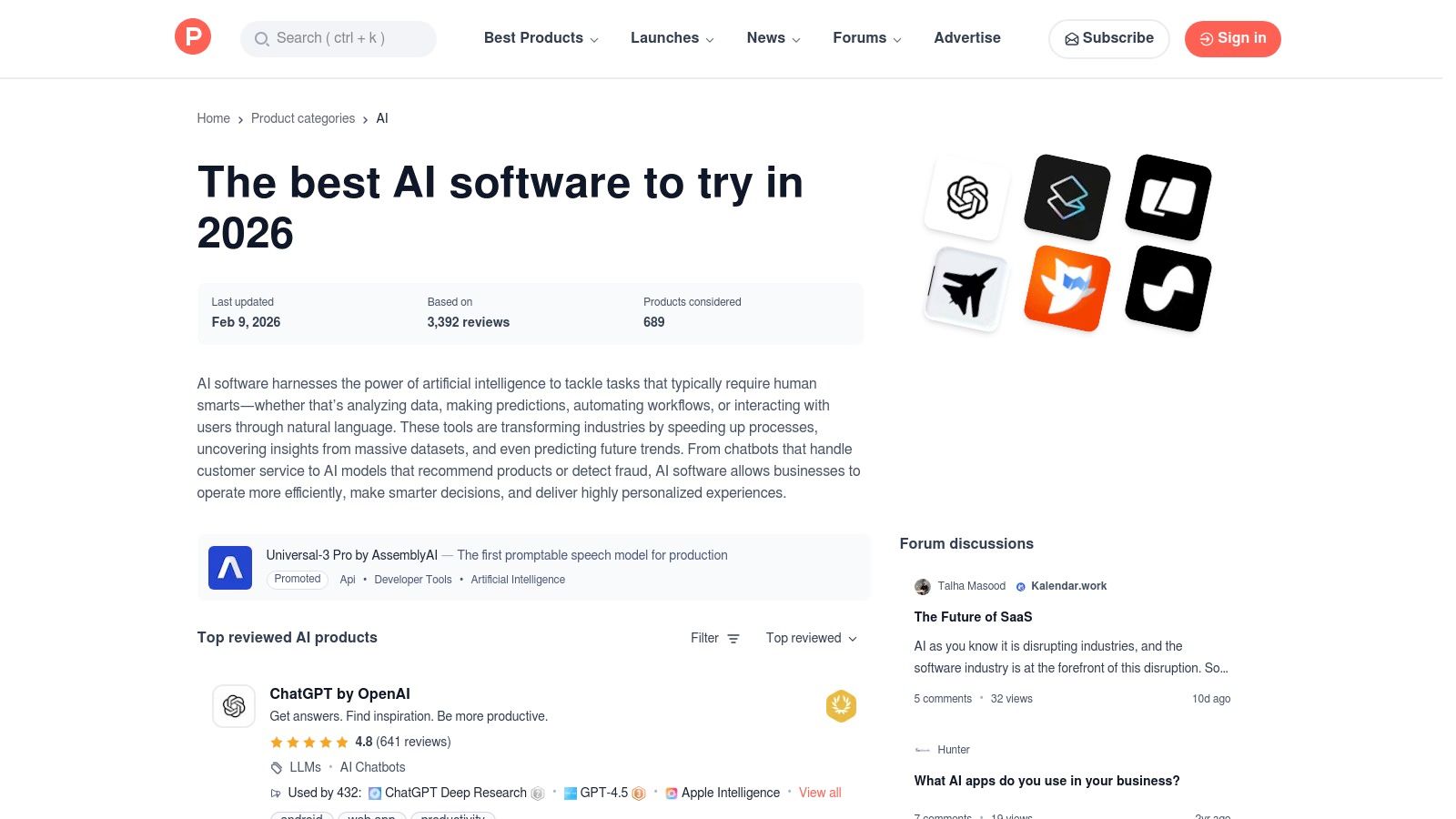
The platform’s strength lies in its community. Real user reviews, Q&As with founders, and upvote-based rankings provide valuable social proof that’s often missing from simple directories. Instead of relying on marketing copy, you can see what other creators are actually using and discussing. This makes it one of the best AI tools for content creators who need to vet and validate emerging technologies quickly.
Core Features & Use Cases
- Find Niche Tools: A TikTok creator could discover a newly launched AI tool that specializes in generating viral-style captions or a unique video filter before competitors do.
- Gauge Community Interest: Before investing time in learning a new platform, you can check its discussion thread to see what early adopters are saying, what its limitations are, and how responsive the developers are.
- Curated AI Collections: Quickly browse dedicated categories like "AI Video Generators" or "AI Writing Assistants" to compare the latest offerings side-by-side based on upvotes and user comments.
- Early Access & Deals: Many startups offer exclusive discounts or early access to Product Hunt users, providing a cost-effective way to experiment with new technologies.
Pricing & Key Considerations
Product Hunt is completely free to browse and use. However, it is a discovery hub, not a marketplace, so all transactions and subscriptions happen directly on the individual vendors' websites. The primary consideration is that the quality and stability of newly launched products can vary significantly. While you can find incredible gems, you might also encounter early-stage bugs or tools that haven’t yet found their footing.
- Website: Product Hunt AI Categories
10. G2
G2 serves as a critical research hub rather than a direct creation tool, offering a comprehensive B2B marketplace for comparing AI writing and generative platforms. For creators and marketing teams, its value lies in providing verified user reviews and detailed comparison grids. This allows you to cut through marketing hype and make an informed decision when selecting from the crowded market of AI software. Instead of testing dozens of tools, you can use G2's filters and user-generated feedback to shortlist the most reliable and feature-complete options for your specific workflow.
The platform excels by organizing software into specific categories like AI Writing Assistants and Generative AI, complete with market research reports and buyer's guides. This structured approach helps you understand the landscape of available solutions. By analyzing real user pros and cons, sentiment themes, and breakdowns by company size (SMB vs. Enterprise), you can confidently choose the best AI tools for content creators that fit your budget and technical needs.
Core Features & Use Cases
- Head-to-Head Comparisons: Create a side-by-side comparison grid of two or more AI video generators to see how their features, pricing, and user ratings stack up before committing to a subscription.
- Verified User Reviews: A creator can read detailed reviews from other users in their industry to learn about a tool's real-world performance, limitations, and customer support quality.
- Robust Filtering: Filter AI writing assistants by specific features, like brand voice control or multi-language support, to quickly find a tool that meets your exact requirements for producing social media copy.
- Market Research & Guides: Use G2’s reports to understand emerging trends in generative AI, helping you stay ahead of the curve and adopt new technologies strategically.
Pricing & Key Considerations
G2 is free to use for research and browsing reviews. The platform makes money through vendor listings and sponsored placements, so it's important to read carefully and distinguish between organic results and advertisements. G2 is a research destination; all software purchases are made directly on the respective vendor’s website. Its strength is in the pre-purchase decision-making phase, helping you invest wisely in tools that will genuinely enhance your content creation process.
- Website: G2 AI Writing Assistant Resources
11. Capterra – AI Video Generator directory
For creators feeling overwhelmed by the sheer number of new AI tools, Capterra’s AI Video Generator directory is an essential research hub. Instead of being a tool itself, it’s a comprehensive, filterable database of over 100 different AI video platforms. This makes it an invaluable starting point for comparing features, pricing, and real-world user feedback all in one place, saving hours of manual research. Its strength lies in its standardized format, which allows for quick side-by-side analysis.
The platform helps creators discover the perfect tool by allowing them to filter based on specific needs, such as text-to-video capabilities, AI avatars, or automated captioning. The inclusion of verified user reviews and ratings provides a layer of social proof that vendor websites lack. This unfiltered feedback helps identify which platforms are truly the best AI tools for content creators and which might have hidden limitations.
Core Features & Use Cases
- Feature-Based Filtering: A creator looking for an AI tool that specifically offers realistic AI avatars and supports multiple languages can apply these filters to instantly narrow down the 100+ options to a manageable shortlist.
- Verified User Reviews: Read honest pros and cons from other content creators to understand a tool's true performance for creating Shorts or ads before committing to a subscription.
- Pricing & Trial Snapshots: Quickly compare the starting prices and availability of free trials for multiple tools without having to visit each individual website.
- Vendor Comparison: Select up to four different AI video generators and view their features, ratings, and pricing models in a clean, side-by-side comparison table.
Pricing & Key Considerations
Capterra is completely free to use for research. The platform is supported by software vendors, so be mindful that sponsored listings may appear at the top of search results. While the directory is extensive, some vendor profiles might not reflect the very latest feature updates, so it's always wise to click through to the official site for the most current information.
- Website: Capterra AI Video Generator Software
12. AppSumo – Trending AI Deals
AppSumo is not a single tool but a crucial marketplace for creators looking to build a powerful AI toolkit on a budget. It offers deeply discounted software deals, often in the form of lifetime licenses (LTDs), for emerging AI applications in video, SEO, marketing, and automation. This makes it an ideal platform for creators to experiment with and acquire niche tools that might otherwise be too expensive, effectively lowering the barrier to entry for accessing some of the best AI tools for content creators.
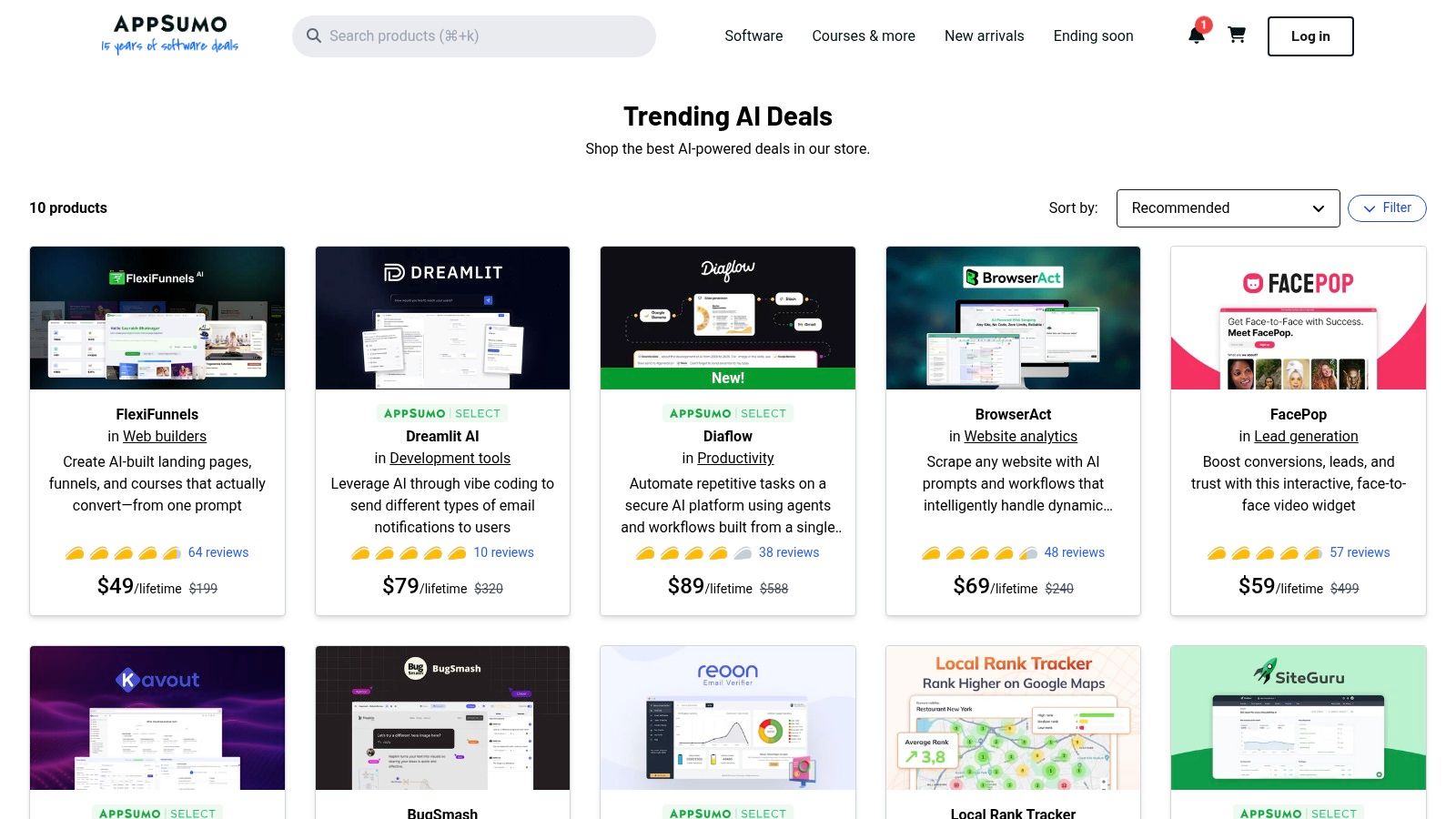
The platform's strength is its curated "Trending AI Deals" collection, which centralizes new and popular tools, allowing creators to quickly find solutions for specific workflow bottlenecks. User reviews and Q&A sections on each deal page provide valuable, real-world insights that help in vetting a tool’s quality and support before purchasing. For creators managing multiple channels, AppSumo can be a goldmine for finding specialized AI assistants, content repurposing apps, or social media schedulers at a fraction of their standard subscription cost.
Core Features & Use Cases
- Discover Niche Tools: A TikTok creator could find a lifetime deal on an AI-powered tool that automatically generates viral video ideas or writes engaging hooks based on trending audio.
- Cost-Effective Experimentation: Instead of committing to a pricey annual plan for an AI SEO tool, a YouTuber can purchase a low-cost LTD to test its effectiveness for optimizing video descriptions and titles.
- Build an AI Stack: Creators can acquire a portfolio of tools for different needs, such as an AI image generator, a video subtitle tool, and an automated content scheduler, all for a one-time payment.
- Community Vetting: Leverage detailed user reviews and questions to gauge a tool's long-term viability and the responsiveness of its support team before committing.
Pricing & Key Considerations
Pricing is deal-specific, with lifetime deals often ranging from $39 to $99 as a one-time purchase. The main consideration is the inherent risk of LTDs; some startups may pivot or cease operations, impacting the deal's long-term value. However, AppSumo offers a 60-day money-back guarantee, providing a safe window to test a tool thoroughly. For creators willing to explore up-and-coming software, it's an unparalleled resource for acquiring powerful AI capabilities without recurring monthly fees.
- Website: AppSumo Trending AI Deals
Top 12 AI Tools for Content Creators — Quick Comparison
| Product | Core features | Quality & speed | Value / Price | Target audience | Unique selling point |
|---|---|---|---|---|---|
| Nereo 🏆 | Text/image/reference-to-video; one-prompt 60s anime; multi-models; 9:16/1:1/16:9 | ★★★★ · 1–5 min gen | 💰 Free credits → paid tiers; commercial on paid | 👥 TikTok/YouTube creators, advertisers, e‑commerce | ✨ One-prompt full anime shorts; multi-model selection |
| Canva – Magic Studio | Generative copy, layouts, image/video, templates, resizing | ★★★★ · very fast drafts | 💰 Freemium; Pro for advanced AI | 👥 Social creators, teams, marketers | ✨ Instant on-brand templates & Magic Resize |
| CapCut | Mobile/web editor, AI background removal, templates, motion FX | ★★★★ · real-time mobile | 💰 Freemium; Pro removes limits/watermarks | 👥 Short-form creators, mobile editors | ✨ Trend-ready vertical templates & effects |
| Runway | Text/image-to-video (Gen-4/4.5), upscaling, editor, API | ★★★★★ · high-quality; iterative | 💰 Credit tiers; predictable plans | 👥 Creators, ad teams, developers | ✨ State-of-the-art generative video + API |
| Descript | Transcript-first video/audio editing, overdub, noise cleanup | ★★★★ · very fast for repurposing | 💰 Freemium; paid for advanced AI credits | 👥 Podcasters, educators, repurposers | ✨ Edit video by editing text; AI overdub |
| Adobe Express | Generative credits, stock assets, brand kits, scheduler | ★★★★ · enterprise-ready | 💰 Paid plans with generative credits | 👥 Brands, enterprises, designers | ✨ Adobe ecosystem + licensed stock & brand controls |
| ElevenLabs | Text-to-speech, voice cloning, dubbing studio, API | ★★★★★ · studio-grade audio | 💰 Credit/plans; scales to enterprise | 👥 Voice artists, dubbing/localization teams | ✨ Natural-sounding voice cloning & multilingual dubbing |
| Synthesia | AI avatars, templates, dubbing, translations (80+ langs) | ★★★★ · quick multilingual output | 💰 Paid / minute or credit limits | 👥 Training, explainers, marketing teams | ✨ Camera-free presenter videos & one-click translations |
| Product Hunt – AI Categories | Curated launches, community reviews, discovery feeds | ★★★ · varies by product | 💰 Free discovery | 👥 Early adopters, explorers, product hunters | ✨ Community signals and early access to new tools |
| G2 | Verified user reviews, comparison grids, buyer guides | ★★★★ · reliable review data | 💰 Free research; vendor links | 👥 Teams shortlisting B2B tools | ✨ Verified reviews + enterprise vs SMB filters |
| Capterra – AI Video Directory | Directory of 100+ AI video tools, filters, reviews | ★★★★ · broad coverage | 💰 Free research; pricing snapshots | 👥 Buyers comparing AI video tools | ✨ Large vendor directory with shortlist badges |
| AppSumo – Trending AI Deals | Curated discounted deals, LTDs, user Q&A | ★★★ · deal quality varies | 💰 Discounted / lifetime offers | 👥 Budget-conscious creators, small businesses | ✨ Cost-effective one-time deals & promotions |
Choosing Your AI-Powered Creative Stack
We've explored a powerful lineup of the best AI tools for content creators, from all-in-one design suites like Canva and Adobe Express to specialized powerhouses like Nereo for anime shorts and Runway for advanced video editing. The sheer volume of innovation can feel overwhelming, but the central takeaway is clear: AI is no longer a futuristic concept but a practical, accessible co-pilot ready to revolutionize your workflow. The era of spending hours on tedious, repetitive tasks is ending, replaced by a new paradigm where your creative vision is the primary bottleneck, not your technical skill or production budget.
This article has demonstrated that there isn’t a single "best" tool, but rather a "best fit" for your specific creative needs. Your goal now is to move from passive learning to active implementation. The key is to avoid the temptation to adopt every tool at once. Instead, identify the single biggest friction point in your current content creation process and find the AI tool designed to solve it.
How to Build Your Perfect AI Toolkit
Building your ideal creative stack requires a strategic approach. Start by asking yourself a few critical questions to narrow down the vast landscape of options we've covered:
- What is my primary content format? If you are a TikTok or YouTube Shorts creator focused on unique, narrative-driven content, a specialized generator like Nereo offers a direct path from a single prompt to a finished video. In contrast, if your strategy revolves around repurposing long-form interviews or podcasts, Descript's text-based editing is an unparalleled time-saver.
- What is my biggest workflow bottleneck? Are you spending too much time brainstorming video ideas and writing scripts? A tool like Jasper or ChatGPT (often integrated into platforms like Canva) can accelerate ideation. Is video editing eating up your week? CapCut's AI features or Runway's advanced tools can drastically cut down post-production time.
- What is my budget and technical comfort level? Platforms like Canva, CapCut, and Adobe Express are designed with a gentle learning curve and offer robust free tiers, making them perfect starting points. More specialized tools like ElevenLabs for voice synthesis or Synthesia for avatar generation often come with subscription costs but provide professional-grade results that justify the investment for serious creators and marketers.
From Tools to a Cohesive System
The ultimate goal is to create a seamless, integrated workflow where different AI tools handle specific parts of the production pipeline. Imagine this scenario for an e-commerce marketer creating a short-form video ad for Instagram Reels:
- Ideation & Scripting: Use a text-based AI to brainstorm compelling ad hooks and generate a short, punchy script.
- Visual Generation: If your brand has a unique, artistic aesthetic, use Nereo to generate a visually stunning anime-style short that tells a micro-story about your product, instantly capturing attention.
- Voiceover: Feed the script into ElevenLabs to create a high-quality, emotionally resonant voiceover that matches the ad's tone.
- Editing & Captions: Assemble the AI-generated visuals and voiceover in CapCut, using its auto-captioning feature to add dynamic, engaging subtitles essential for silent viewing.
This multi-tool approach transforms hours of complex work into a streamlined, efficient process. By strategically combining the best AI tools for content creators, you shift your role from a manual laborer to a creative director, orchestrating a team of AI assistants to bring your vision to life faster and more effectively than ever before. The future of content creation is here; it’s time to build your stack and start creating.
Ready to create truly unique short-form videos that stop the scroll? If you're looking to bypass complex editing and generate captivating anime-style shorts from a single prompt, Nereo is the perfect starting point for your AI toolkit. Visit Nereo today to start bringing your most imaginative stories to life in minutes.